Submitting a proposal

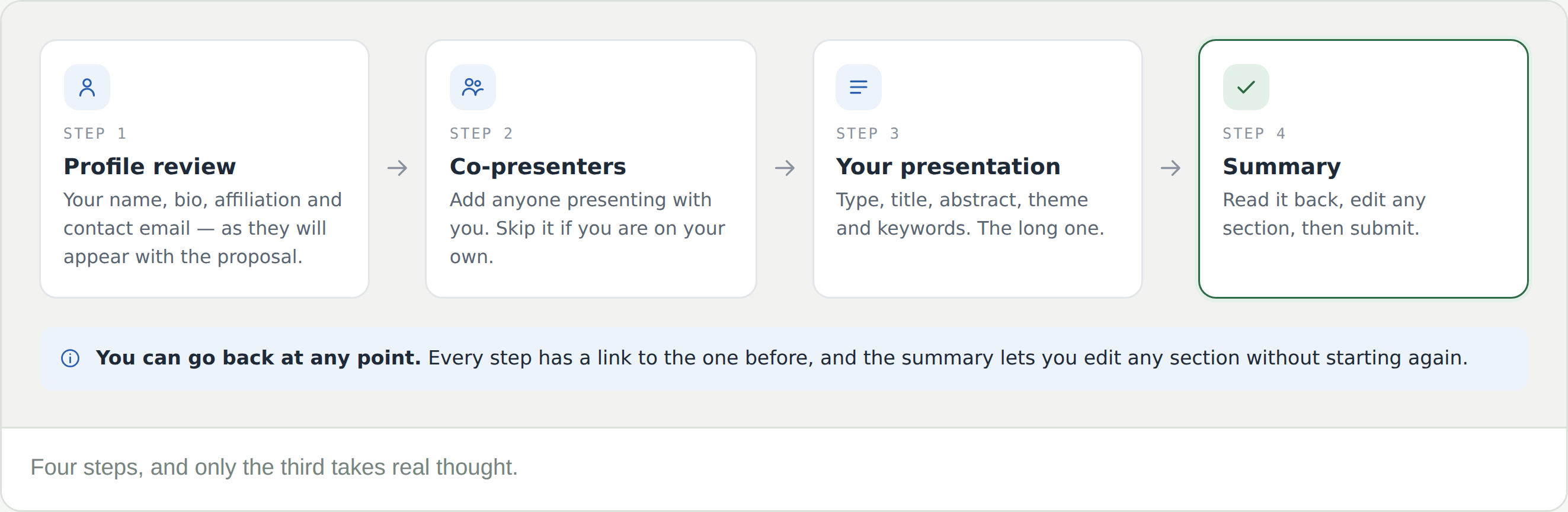
A proposal is four steps, and only one of them takes real thought. Everything you enter can be edited before you submit — and presenting makes you a member of the community running the conference.

Before you start

Read the Call for Papers tab first. It sets out what the conference is asking for, its themes, and the deadline. Then select Submit proposal from the event header.

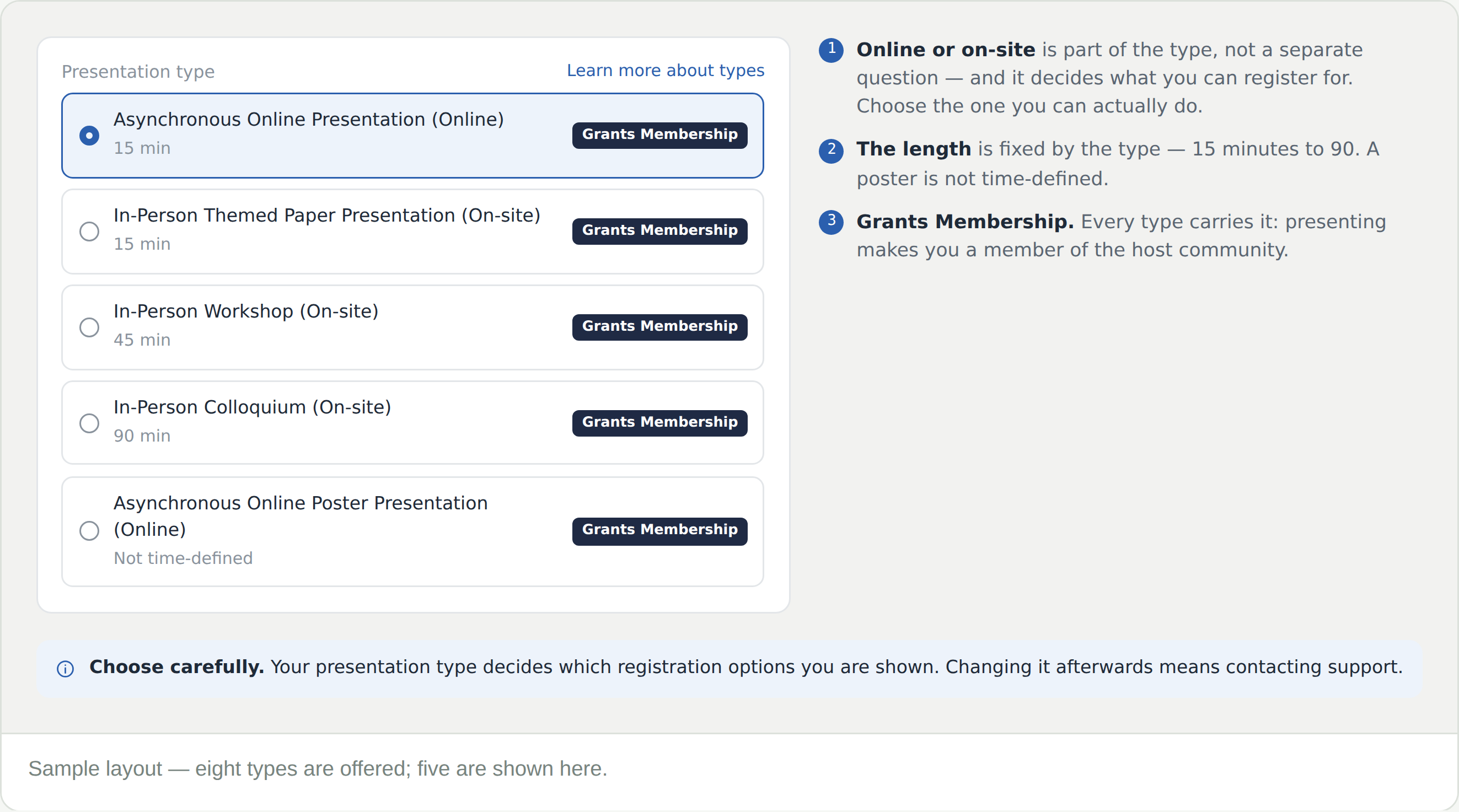
Presenting makes you a member of the host community. Every presentation type carries it, so the proposal is a route into the network as well as onto the programme.

Step one — your profile

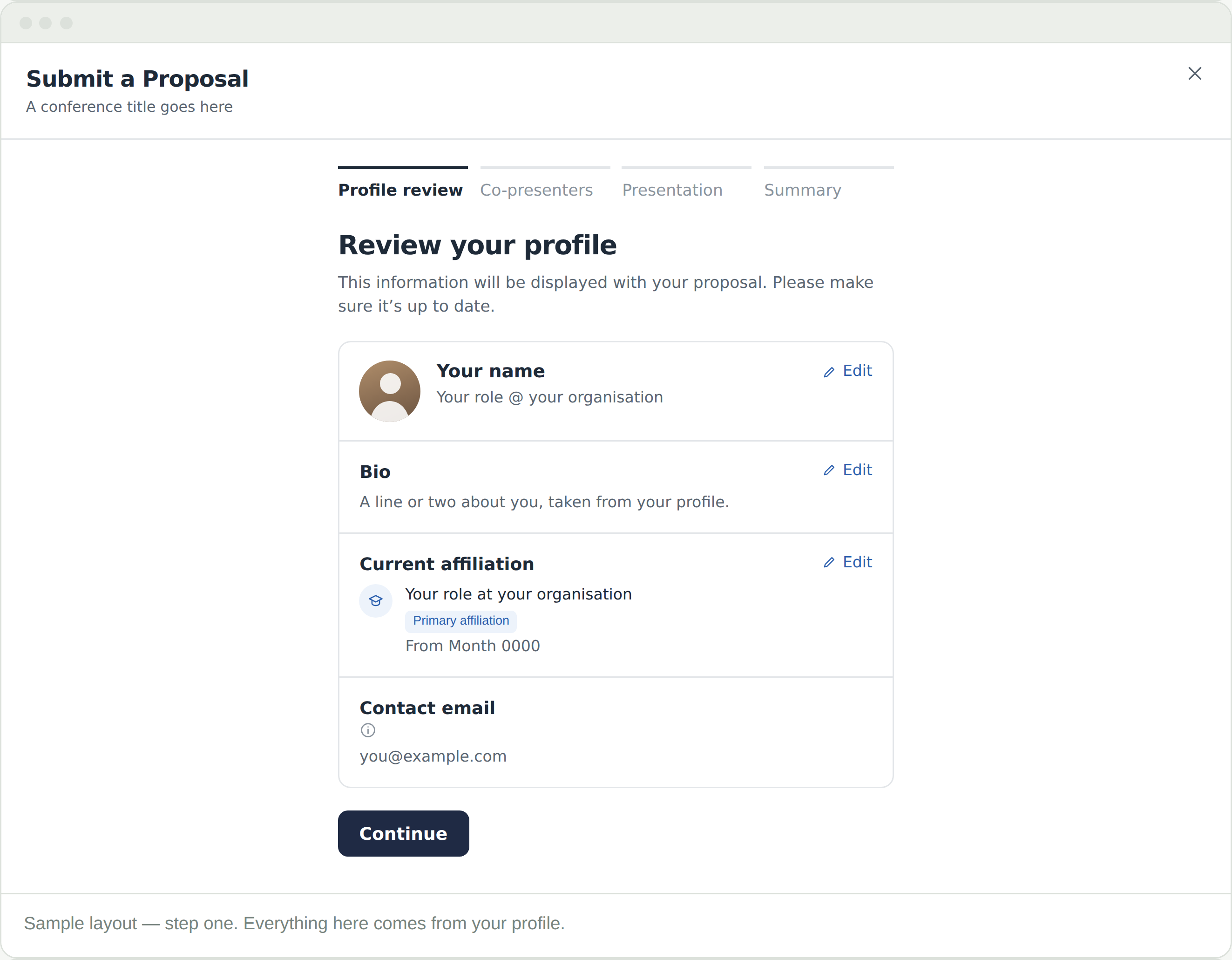
Your name, bio, primary affiliation and contact email, exactly as they will appear beside your proposal. Each has an Edit link.

This is your profile, not a form. Editing it here changes it everywhere on the platform — which is usually what you want, but worth knowing.

Step two — co-presenters

Search for people already on CGScholar, or add them by email if they are not. Presenting alone? Continue past it.

Add co-presenters now rather than later. They appear with the proposal, and one of you is recorded as the main presenter.

Step three — choosing a type

Eight types, each with its own length and each marked on-site or online. A themed paper is 15 minutes; a workshop 45; a colloquium 90; a poster is not time-defined. Learn more about types explains what each involves. The one you pick determines the registration options you see later, so it is the most consequential choice in the form.

Choose carefully. Your presentation type decides which registration options you are shown — changing it afterwards means contacting support.

Step three — the proposal itself

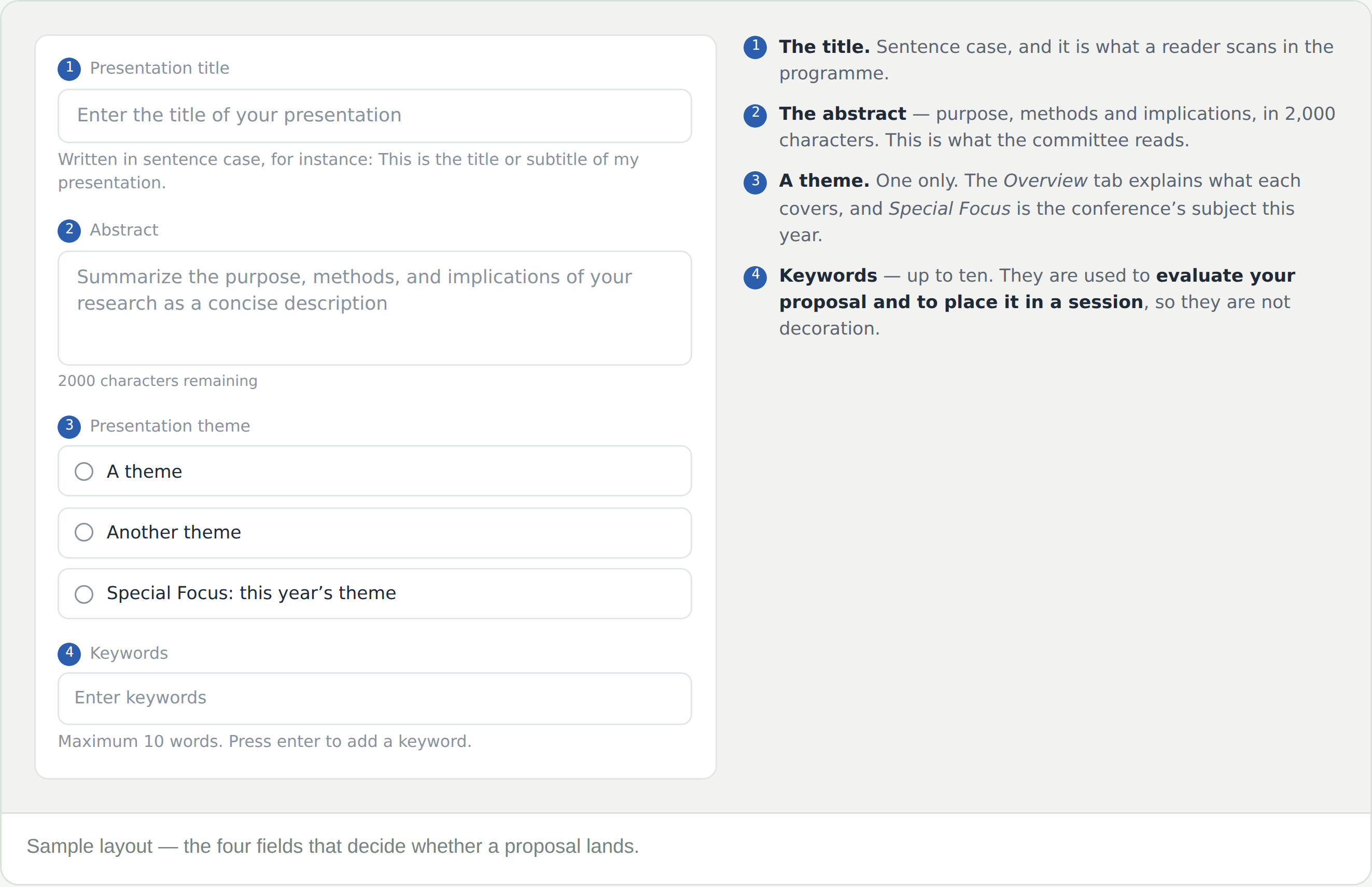
Four fields, on the same screen as the type.

  • Title — in sentence case. It is what a reader scans in the programme
  • Abstract — purpose, methods and implications, in 2,000 characters. This is what the committee reads
  • Theme — one only. The Overview tab explains what each covers; Special Focus is the conference’s subject this year
  • Keywords — up to ten, entered one at a time

Keywords are used to evaluate your proposal and to place it in a session. They decide who you end up presenting alongside, so they are worth more than three obvious words.

Step four — check and submit

The summary shows your profile and every detail of the presentation, each with an Edit link back to the step it came from. Submit proposal sends it to the conference’s Program Development Committee.

Read the abstract back here. It is the last time you see it whole before a committee does.

Frequently Asked Questions

What does “Grants Membership” mean?

Presenting makes you a member of the community running the conference — its journals, books and year-round space included. It appears on every presentation type, so it is not a choice you have to make.

Can I change from in person to online later?

Not on your own. The type you choose determines which registration options you are shown, so a change has to be made for you — contact support. Decide before you submit rather than after.

How long should the abstract be?

Up to 2,000 characters, and the counter shows what is left. Purpose, methods, implications — the form asks for those three in that order.

Which theme should I choose?

One only, and the Overview tab describes each. Special Focus is the conference’s subject for this year, so choose it if your work genuinely speaks to it rather than because it sounds current.

Do keywords matter?

More than most people think. They are used to evaluate the proposal and to place it in a session, so they shape who you present alongside.

My co-presenter is not on CGScholar

Add them by email from the co-presenters step. They do not need an account first.

Can I edit after submitting?

Before submitting, from the summary. Afterwards it goes to the committee — and if they ask for changes, you revise it on your proposal page. Tracking your submission covers what happens next.

Can I submit more than one proposal to the same conference?

No — one proposal per event. Choose the piece of work you most want in the program,