Preparing your presentation

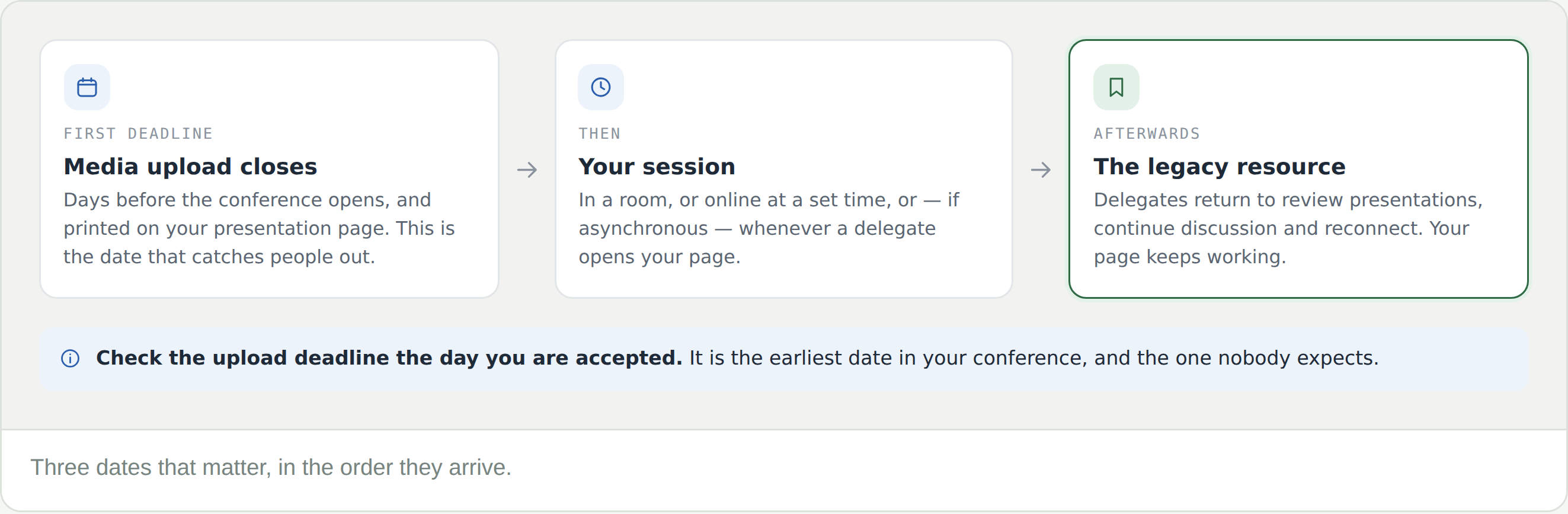
Every accepted presentation needs a video on its page, and the deadline for it falls before the conference opens. What else you add is up to you — and it is what makes the page last.

What is required

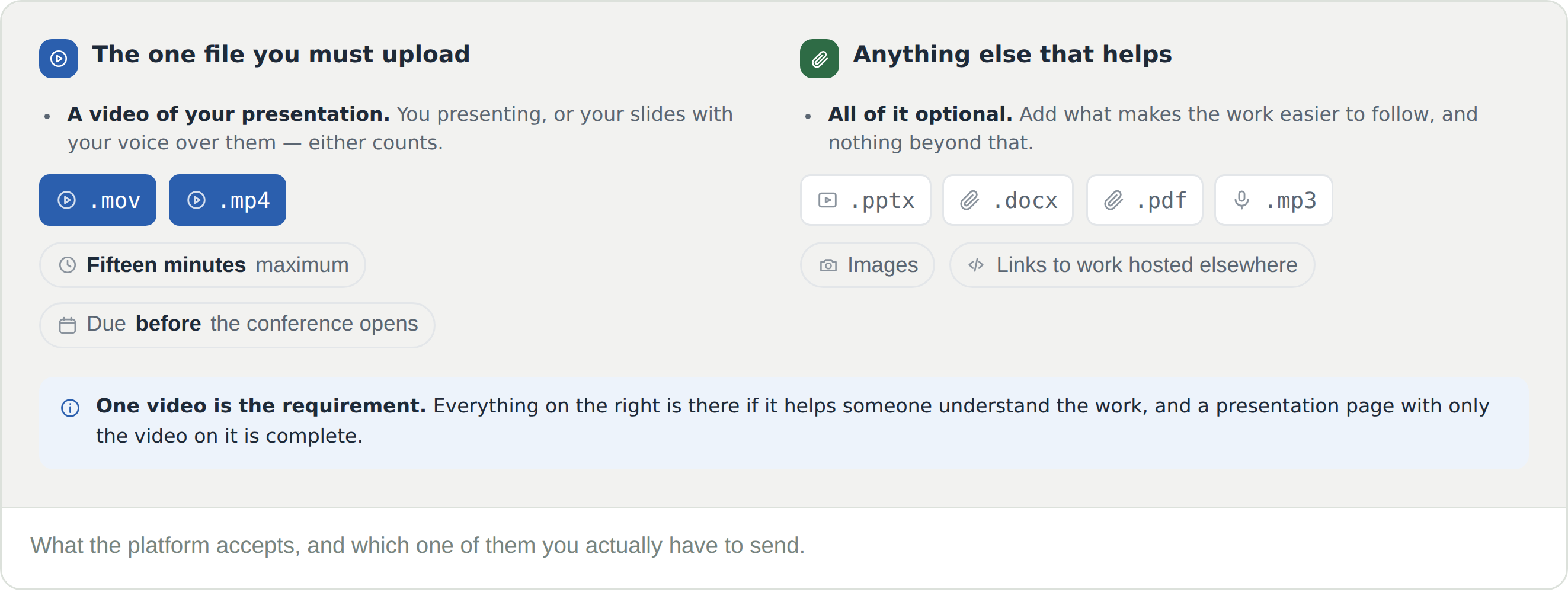
  • The video is .mov or .mp4 — you presenting, or your slides with your voice over them. Either counts
  • Everything else is optional — slides as .pptx, a paper as .docx or .pdf, audio as .mp3, images, and links to work hosted somewhere else

One video is the requirement. A presentation page with nothing on it but the video is complete.

The deadline comes first

The upload deadline is printed on the Digital media card of your presentation page, and it falls before the conference opens — not on the day you present.

Check it the day you are accepted. It is the earliest date in your conference and the one nobody expects.

Two lengths, not one

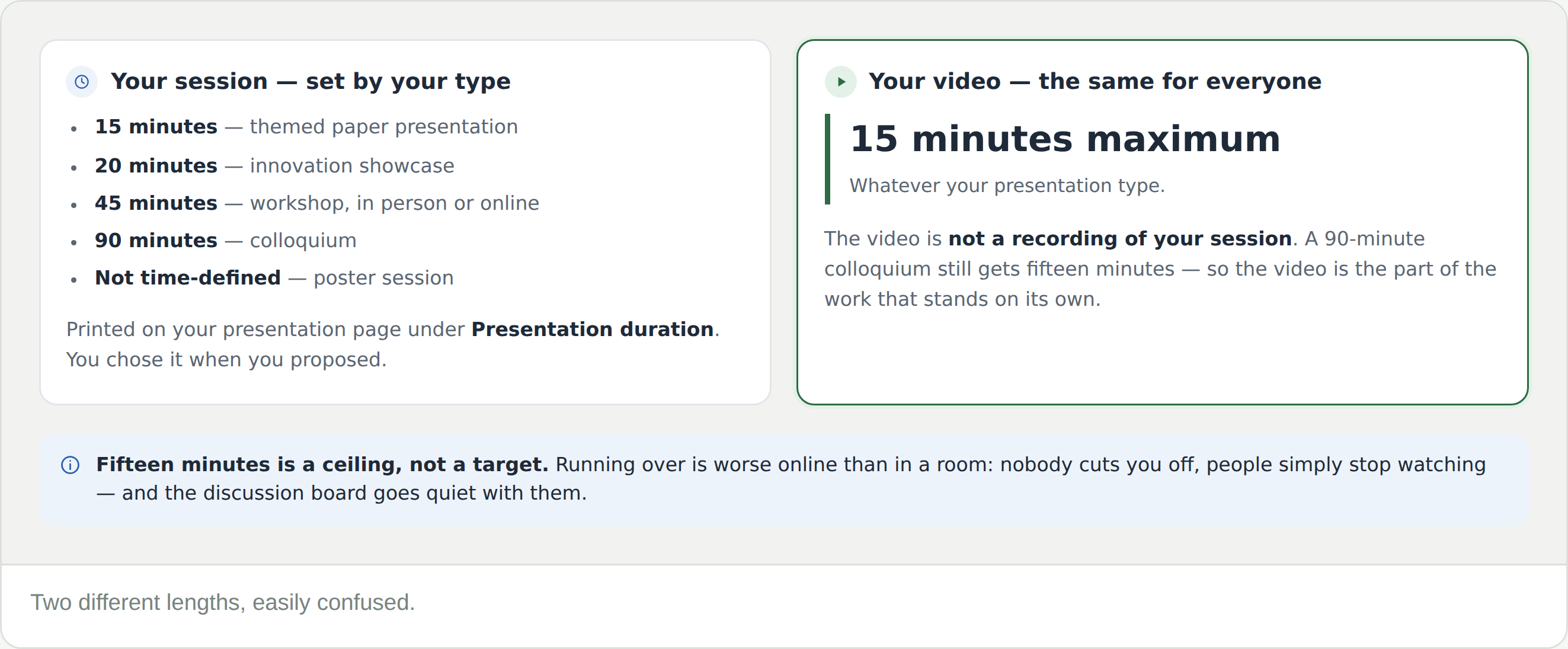
Your session runs for as long as your type allows — 15 minutes for a themed paper, 20 for an innovation showcase, 45 for a workshop, 90 for a colloquium; a poster is not time-defined. It is printed on your presentation page under Presentation duration.

Your video is fifteen minutes maximum, whatever your type. The video is not a recording of your session. It is the version of the work that stands on its own — and fifteen minutes is a ceiling, not a target.

Uploading or embedding

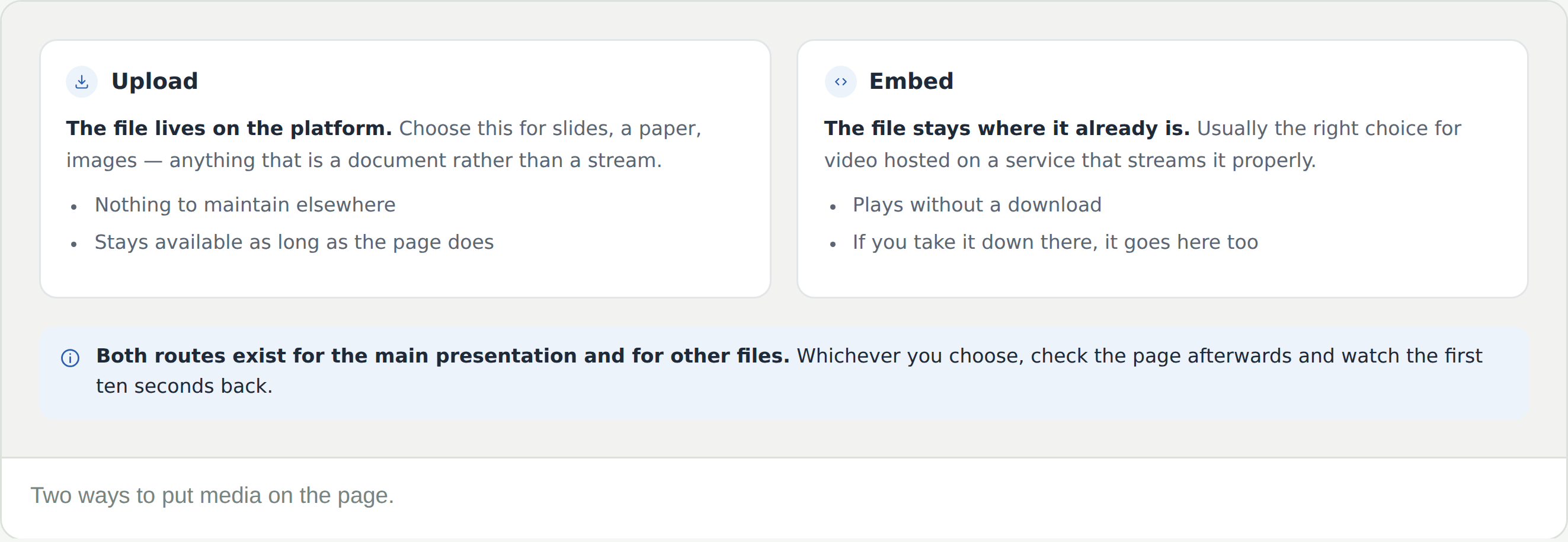
Add file offers both, for the main presentation and for other files. Upload puts the file on the platform — right for slides, a paper, images. Embed points at something already hosted — usually right for video, because it streams rather than downloads.

If you embed, the file stays yours to break. Take it down where it lives and it disappears from your presentation page too.

Then check it

Open your presentation page as a delegate would and watch the first ten seconds back. An embed that does not play is invisible to everyone but you, and the deadline will have passed before anyone tells you.

Look at the Discussion board while you are there. It is open before the conference, and a question may already be waiting.

Frequently Asked Questions

My session is 90 minutes. Is my video 90 minutes?

No. Every video is fifteen minutes maximum. The longer formats give you more time in the room; the video is the shorter, self-contained version that lives on your page.

I am presenting in person. Do I really need a video?

Yes. Digital media is required for every accepted contribution, and for presenters that means a video presentation. It is also what remains on the page after the room empties.

When is the media deadline?

It is printed on the Digital media card of your presentation page, and it falls before the conference opens rather than on the day you present.

How long should the video be?

Fifteen minutes at most, whatever your presentation type. That is not the same as your session length, which may be 20, 45 or 90 minutes — the video is a standalone piece, not a recording of the session.

Should I upload or embed?

Embed video that is already hosted somewhere that streams it. Upload documents. Both are offered for the main presentation and for other files.

Can I add slides as well as the video?

Yes, and it is worth doing. Slides, a paper, images and links all go on as other files, and they are what a delegate reads when fifteen minutes was not enough.

Can I replace the file after uploading it?

Until the deadline passes, the Add file menu is still there. After it, treat a change as a request to the conference’s organisers,

What happens to my media afterwards?

It stays. Digital media on a presentation page becomes part of the conference’s legacy resource — delegates return to review presentations, continue discussion and reconnect.