Your presentation page

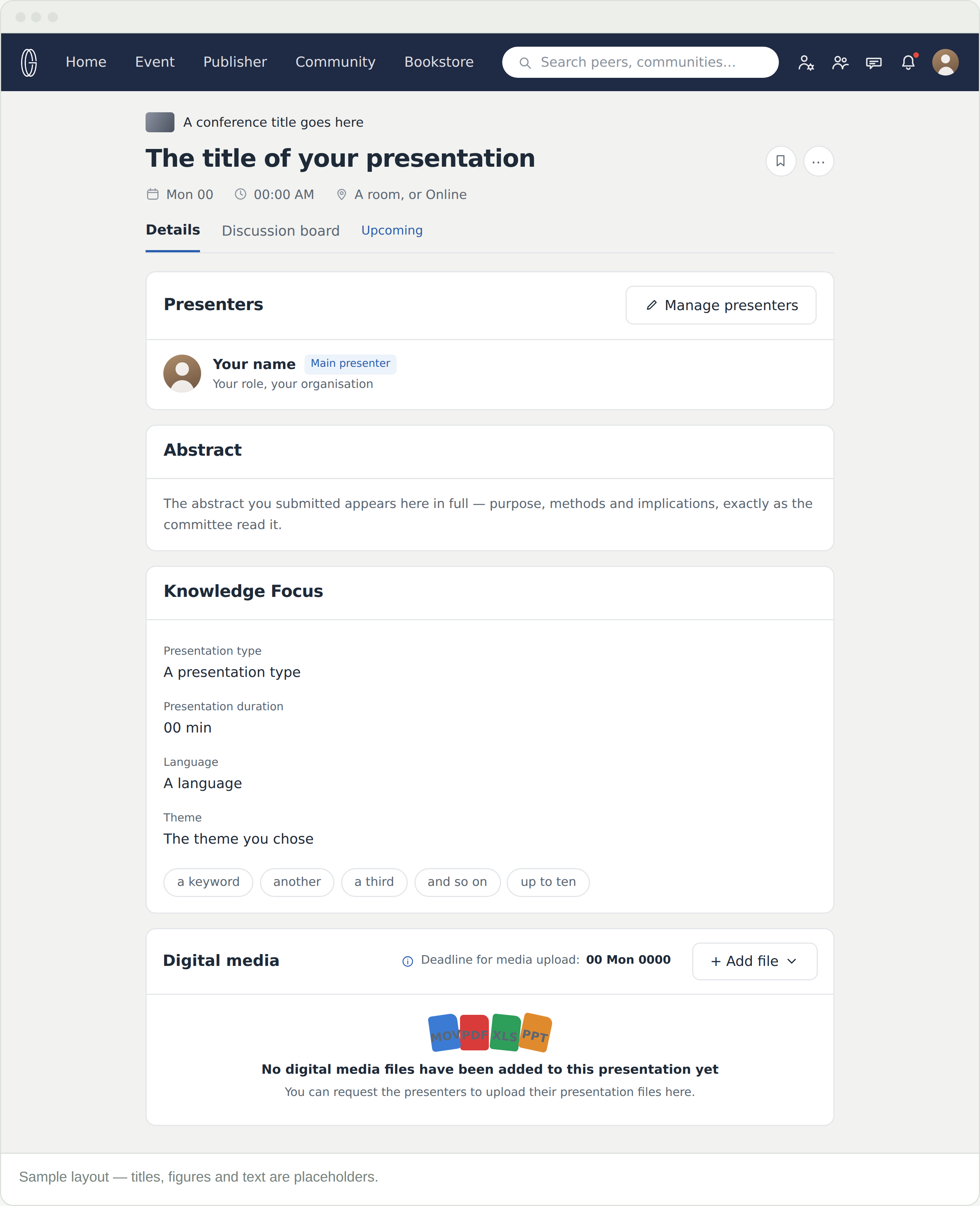
Every accepted contribution gets a presentation page. It carries your abstract, your presenters and your media — and it is where delegates meet your work, before the conference and long after it.

Finding it

From My events, select the title in your My presentation panel. The acceptance email links to it as well. It also sits on the conference’s Presentations tab, alongside everyone else’s.

Everything on the page came from your proposal. Nothing was retyped, which is why the abstract mattered.

What is on it

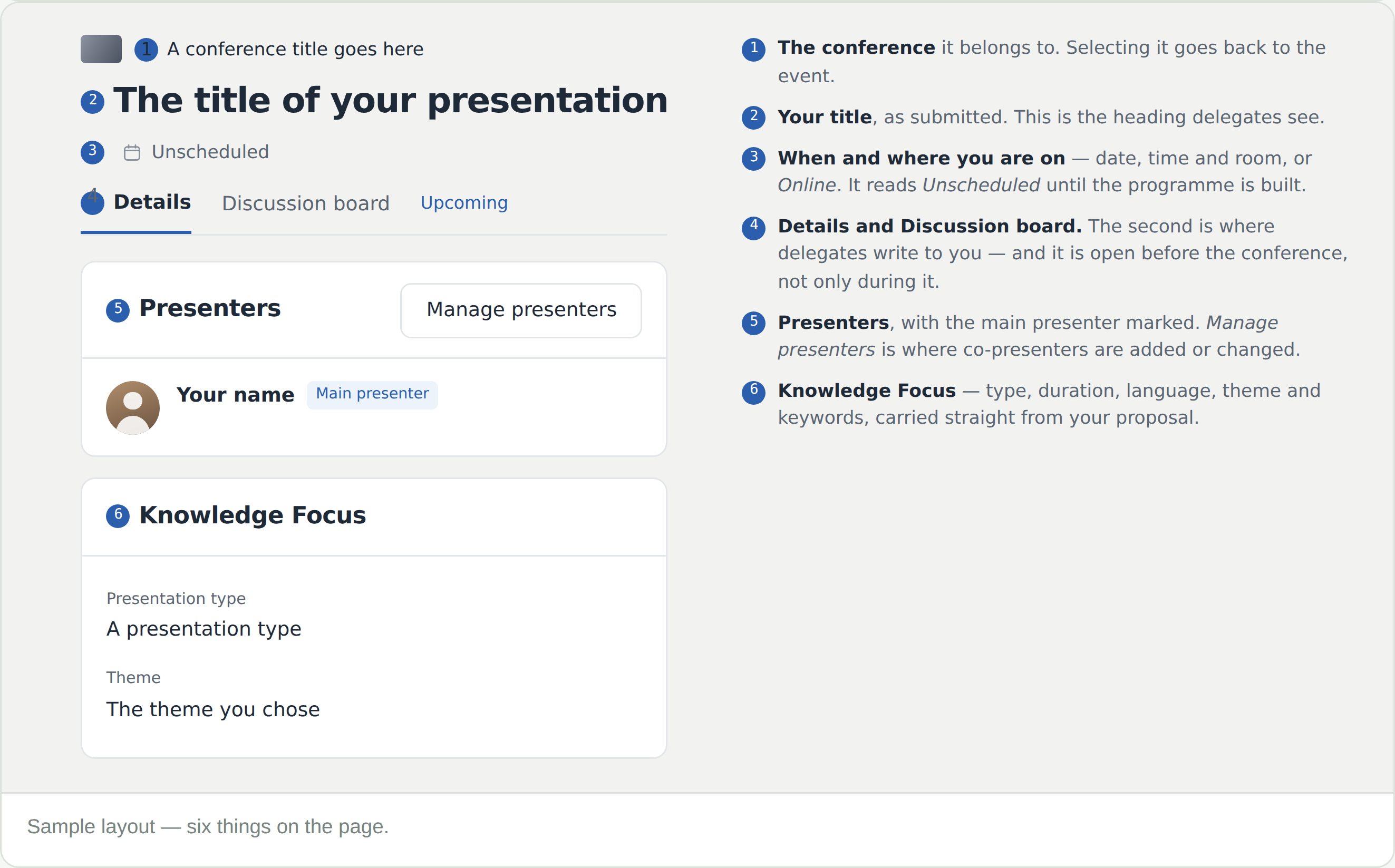
  • The date, time, and place under the title — a room, or Online. It reads Unscheduled until the programme is built
  • Presenters, with the main presenter marked. Manage presenters is where co-presenters are added or changed
  • Abstract — in full, as submitted
  • Knowledge Focus — type, duration, language, theme and your keywords
  • Digital media — your video and anything with it, with the upload deadline stated on the card

The Discussion board

The second tab, and it is open before the conference. A delegate who reads your abstract in advance can ask a question there, and you can answer it before you have said a word out loud.

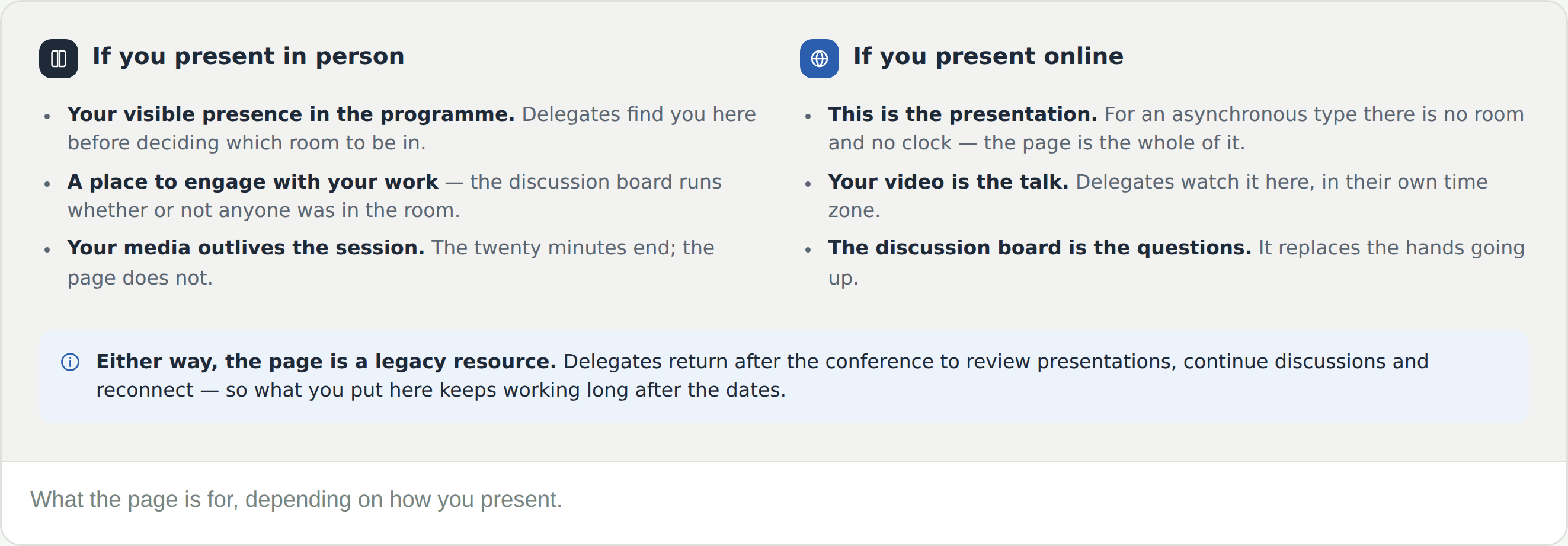
For an asynchronous online presentation, the discussion board is the questions. There is no room and no hands going up.

Digital media

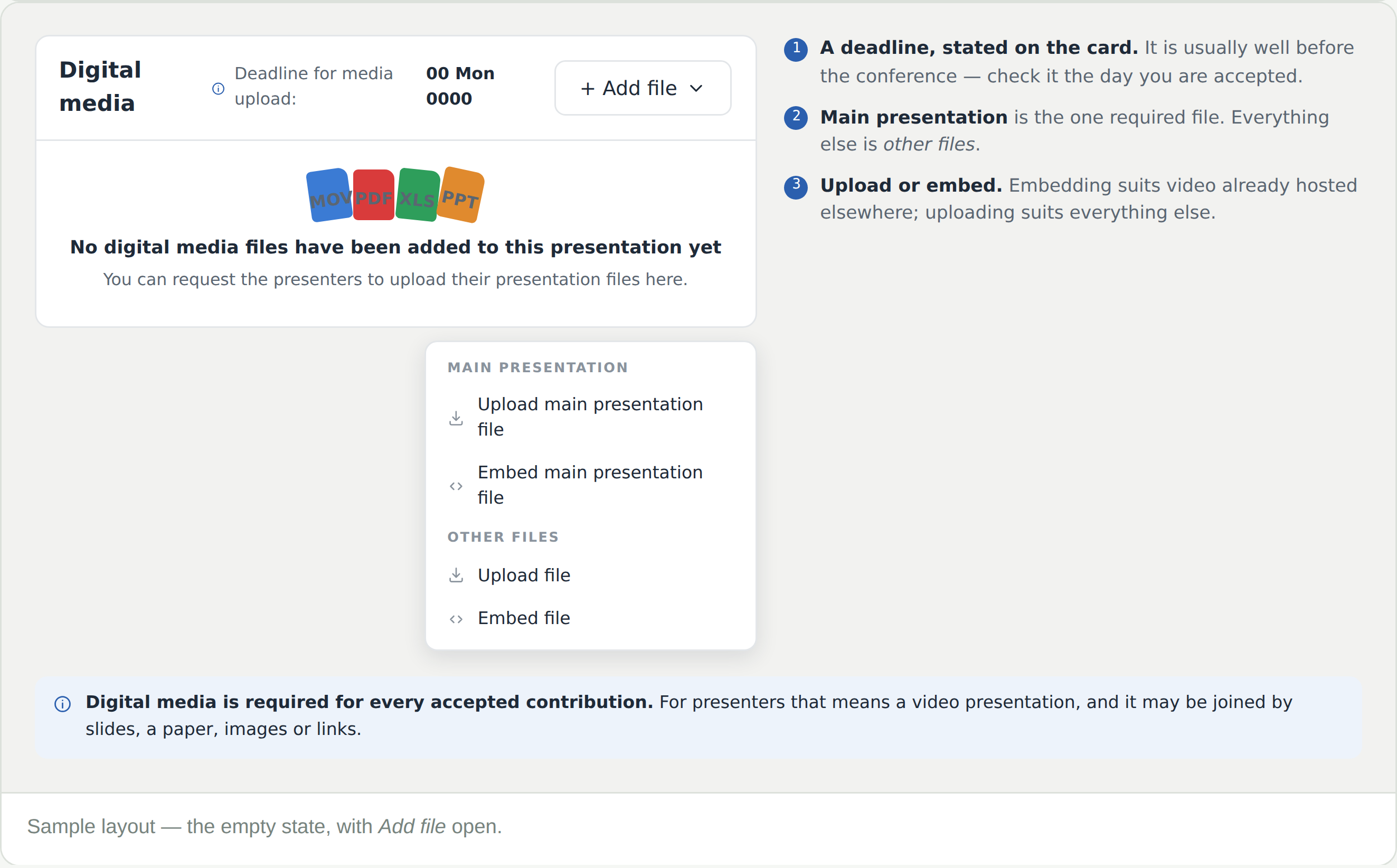
The last card, and the only part of the page you have to fill in yourself. Add file offers a main presentation file and other files, each of which can be uploaded or embedded.

The upload deadline is printed on the card, and it falls well before the conference. Check it the day you are accepted.

It outlasts the conference

What you put here becomes part of the conference’s legacy resource. Delegates come back afterwards to review presentations, continue discussions and reconnect — so a page left empty is a talk that stops when the room does.

Frequently Asked Questions

Where is my presentation page?

From My events, select the title in your My presentation panel. The acceptance email links straight to it, and it is also on the conference’s Presentations tab.

Can I edit the abstract now?

Only if you are asked to. A Revision Requested outcome reopens your proposal for editing — that is the one window. Every other change after submission is by request: raise a support request from the event. It reaches the conference team, and comes back as a numbered ticket in your Messages.

It says Unscheduled

The programme is built after acceptances close, and the schedule goes live one month before the conference. Once it does, the date, time and room appear under the title.

Does anyone see this before the conference?

Yes. It is on the Presentations tab from the moment it exists, and the discussion board is open. Delegates plan their days from these pages.

What is the difference between uploading and embedding?

Uploading puts the file on the platform. Embedding points at something already hosted elsewhere — usually the right choice for video.

I am presenting in person. Do I still need media?

Yes — digital media is required for every accepted contribution. It is also what remains after the room empties.