There is no box to write in on this community
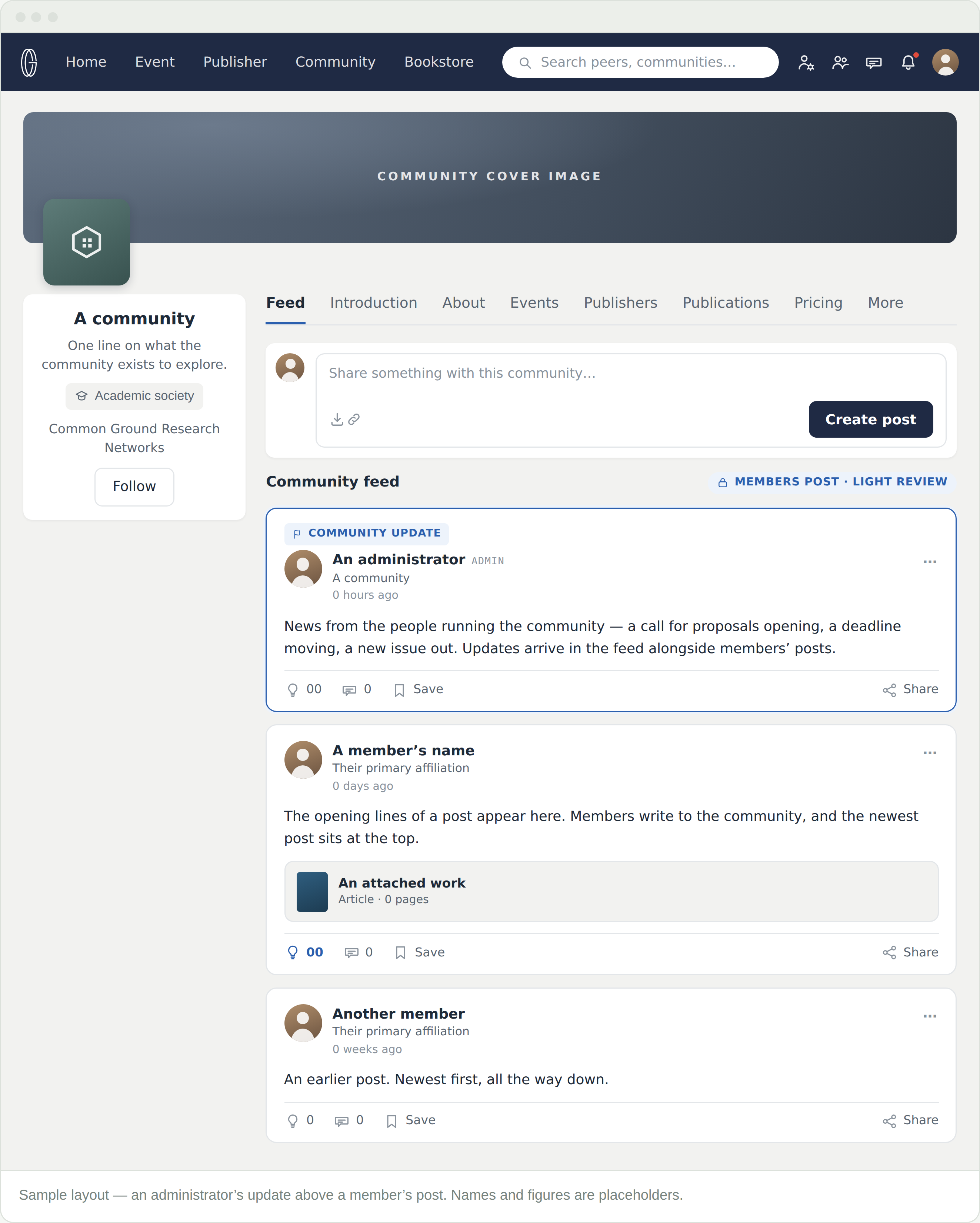
Posting to a community’s feed is for its members. Following lets you read it. You can still post to your own feed at any time — that never depends on a membership.
What is the difference between posting here and posting to my own feed?
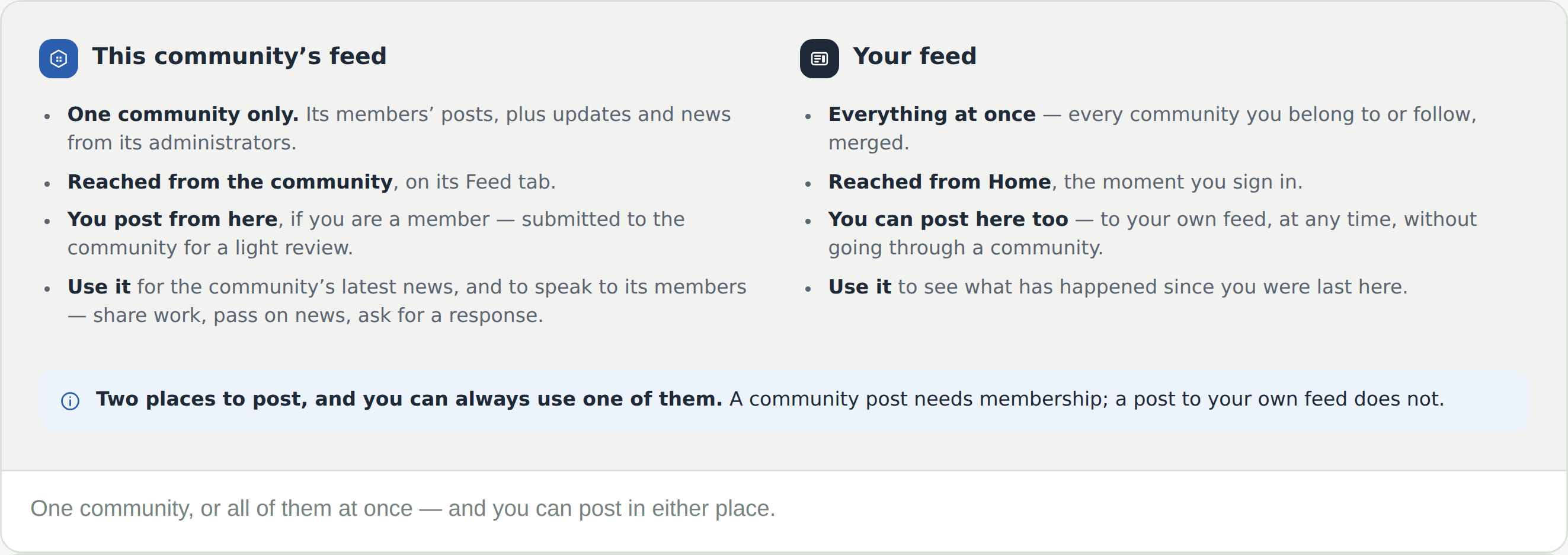
Who it is addressed to. A post written in a community goes to that community and its followers, and needs you to be a member. A post to your own feed is yours — always available, and reaching the people who follow you.
What do the four icons mean?
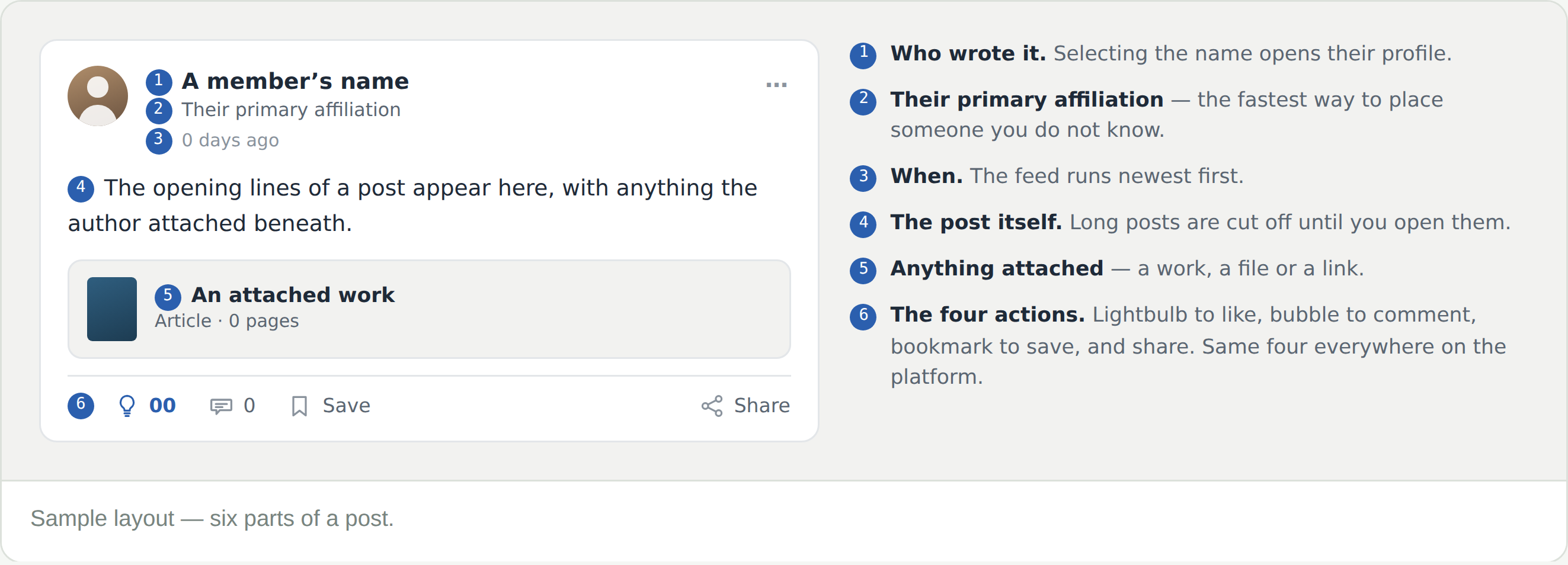
Lightbulb to like, bubble to comment, bookmark to save, and share. Your feed carries the full key with an example of each.
I posted and it has not appeared
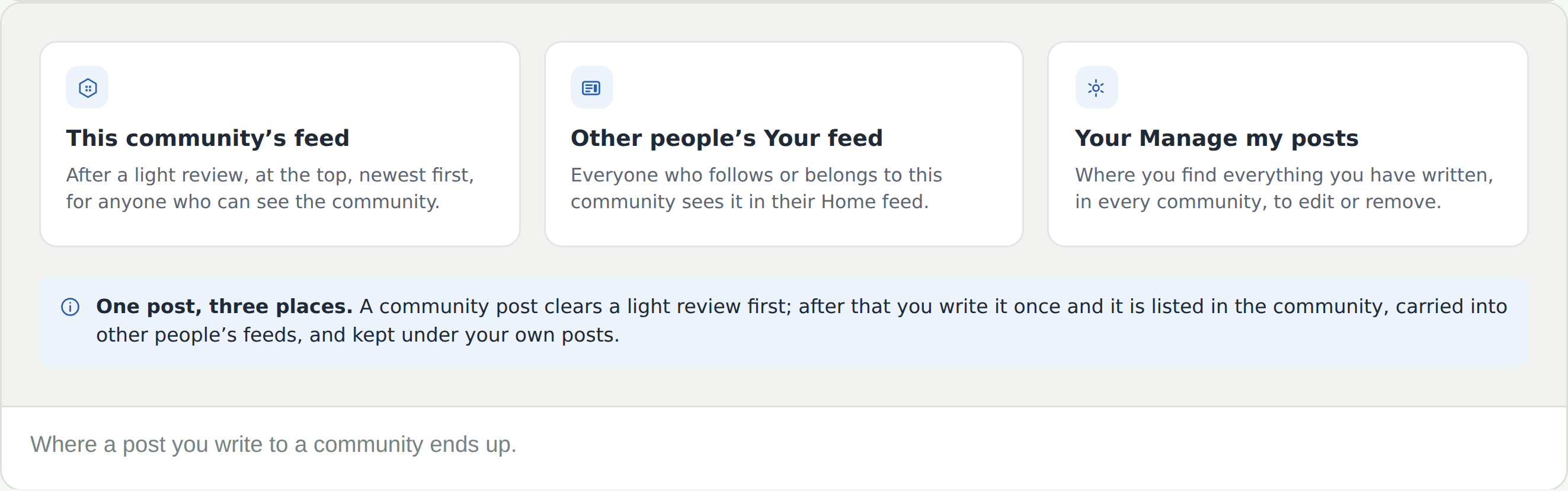
Community posts go through a light review before they show in the feed. Give it a little time; if it stays missing, raise a support request from the community.
Who writes the announcements?
The community’s administrators. Their updates — calls for proposals, deadlines, new issues — arrive in the feed alongside members’ posts, so the feed is worth reading even in a quiet week.
How do I find something I posted weeks ago?
Manage my posts, under your profile picture. Everything you have written — personal posts and community posts alike — in one list.
The feed is quiet
Feeds follow their communities. A small interest group may go weeks between posts while a large academic society moves daily — the member count on the community card is a fair guide.