From a Community
In the left column, beside Create post, is a ⋯ menu. Contact support is the first thing in it.
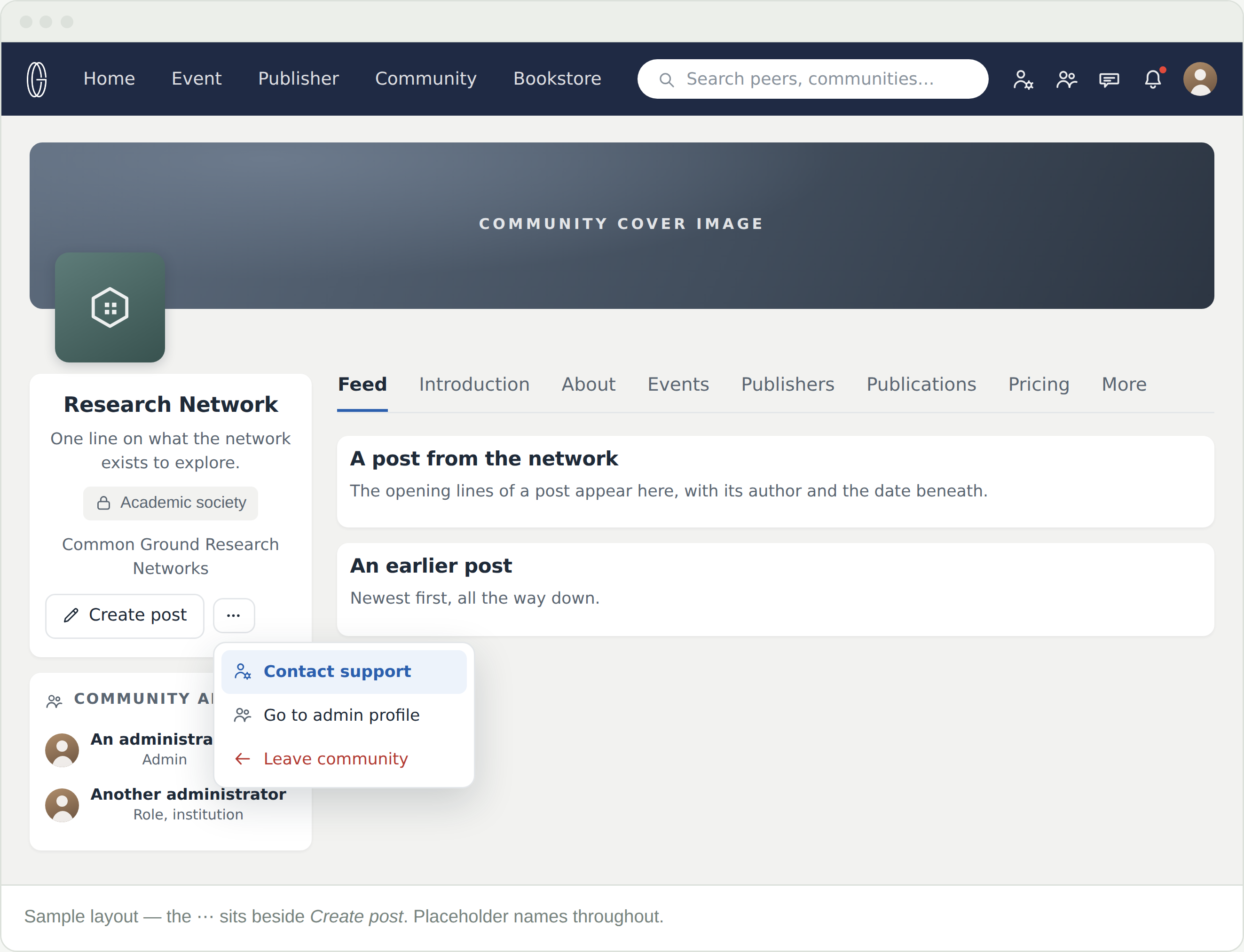
In the left column, beside Create post, is a ⋯ menu. Contact support is the first thing in it.
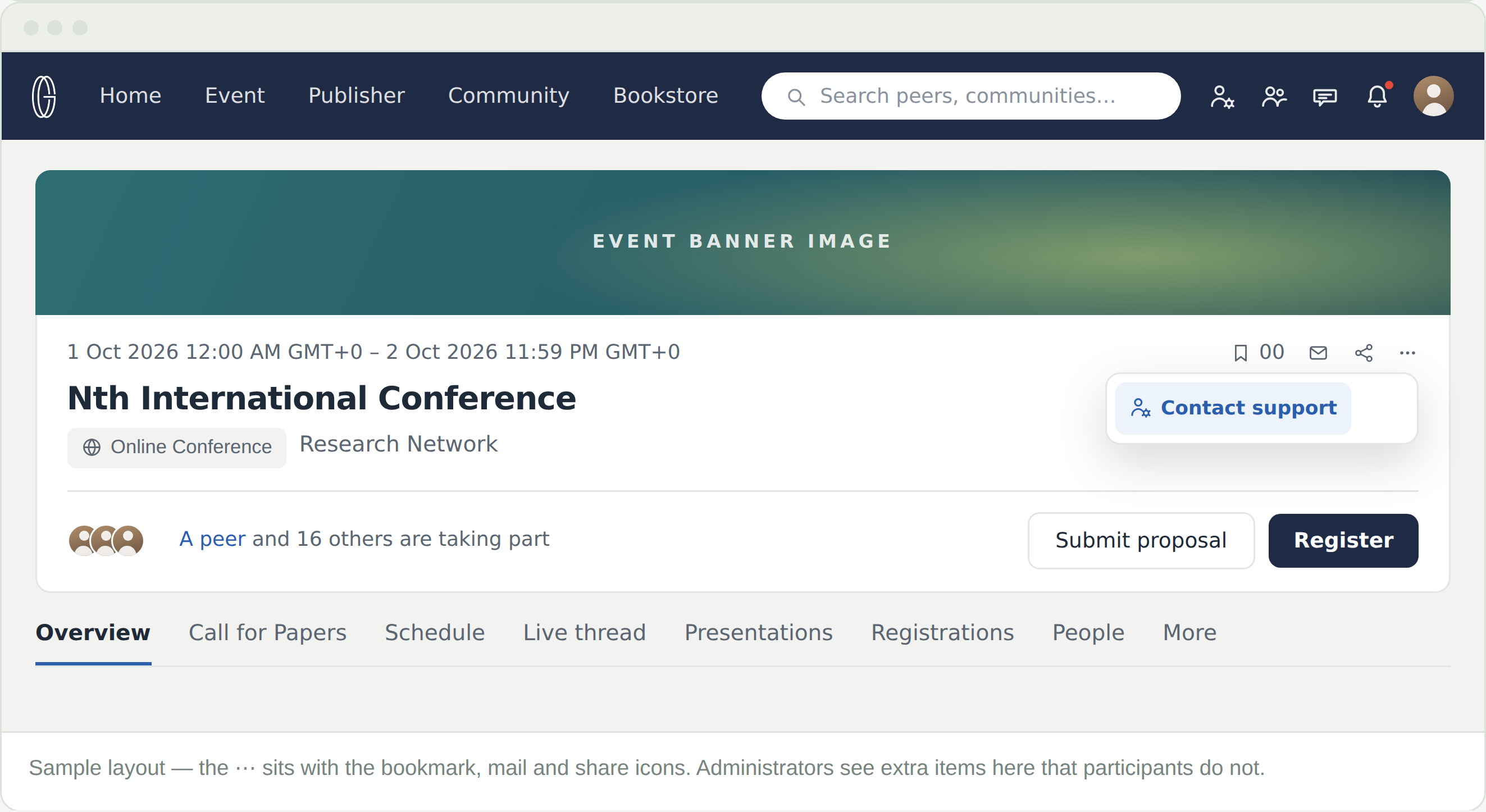
An Event page carries the same menu, in the row of icons beside the dates — bookmark, mail, share, then ⋯.
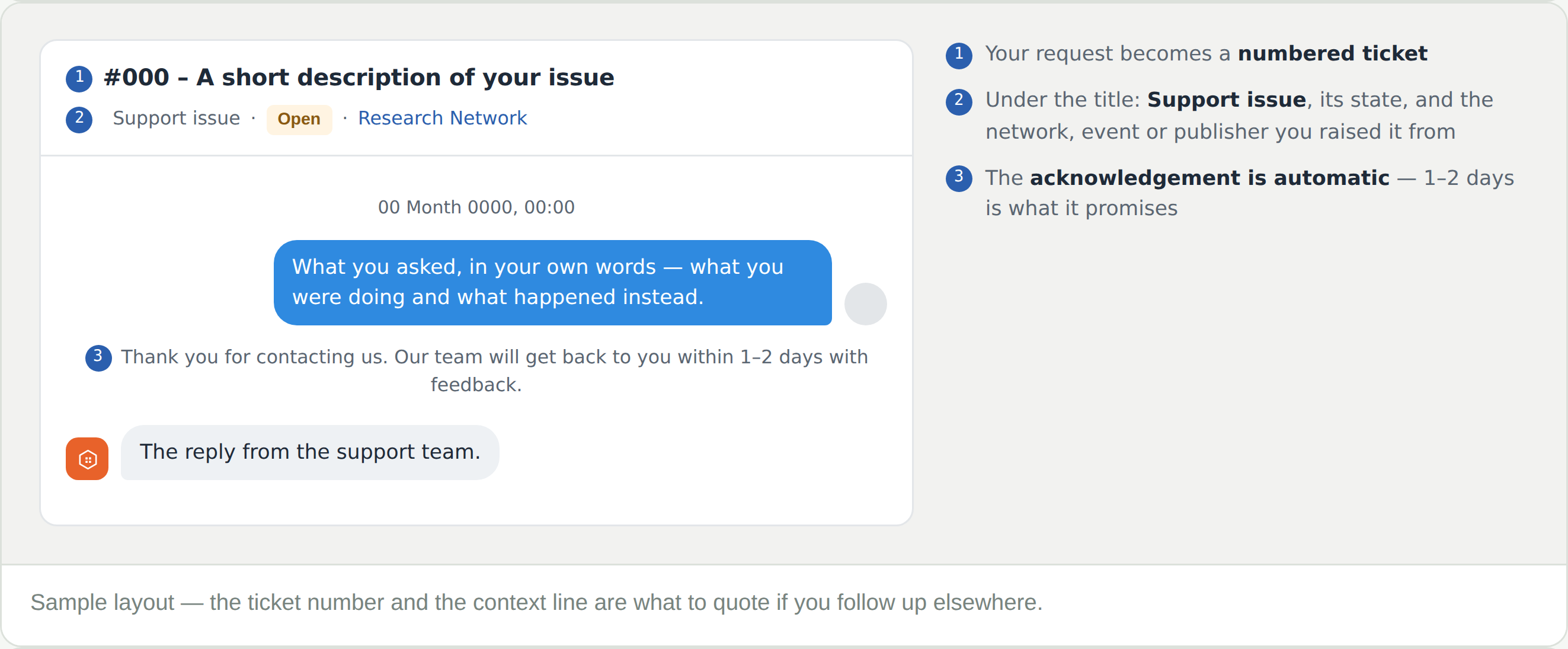
Your request becomes a numbered ticket and opens as a conversation in Messages. An acknowledgement appears straight away: “Thank you for contacting us. Our team will get back to you within 1–2 days with feedback.”
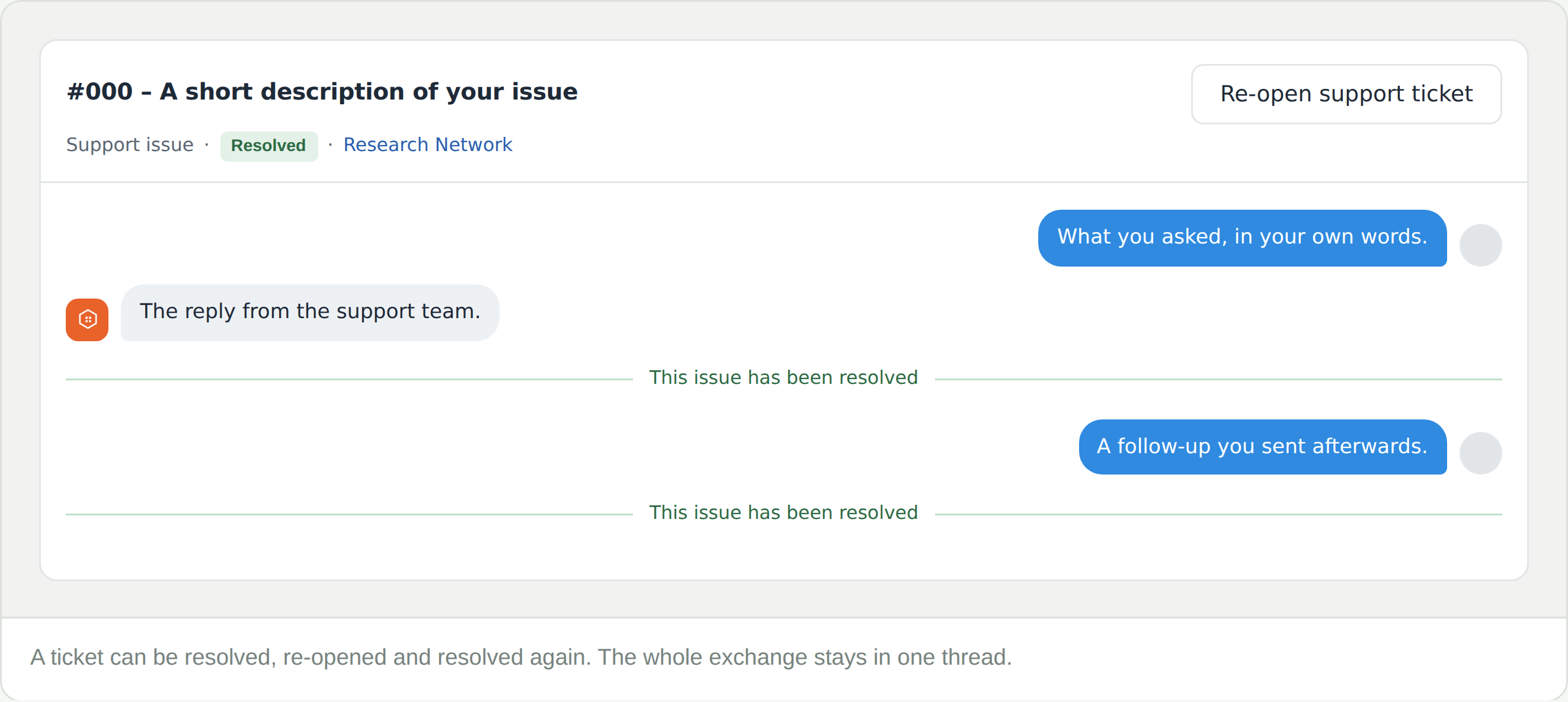
When support closes a ticket, a line runs across the thread reading “This issue has been resolved” and the state beside the title changes to Resolved. Nothing is deleted.
If it comes back, use Re-open support ticket rather than starting a new one. The history goes with it, which saves you explaining twice.
There is not a standalone one. Go to the community, event or publisher the question is about and open the ⋯ menu.
Raise it from whichever is closest to the problem. The context line only helps; it never limits what you can ask.
Yes.
Messages are accessed from the message icon in the top bar. Tickets sit in the same list as your conversations with peers.
Re-open support ticket, top right of the thread. Better than a new ticket — the history is already there.
The acknowledgement says 1–2 days. If it is time-critical — a registration closing, a presentation about to start — say so in the message itself.