Messages

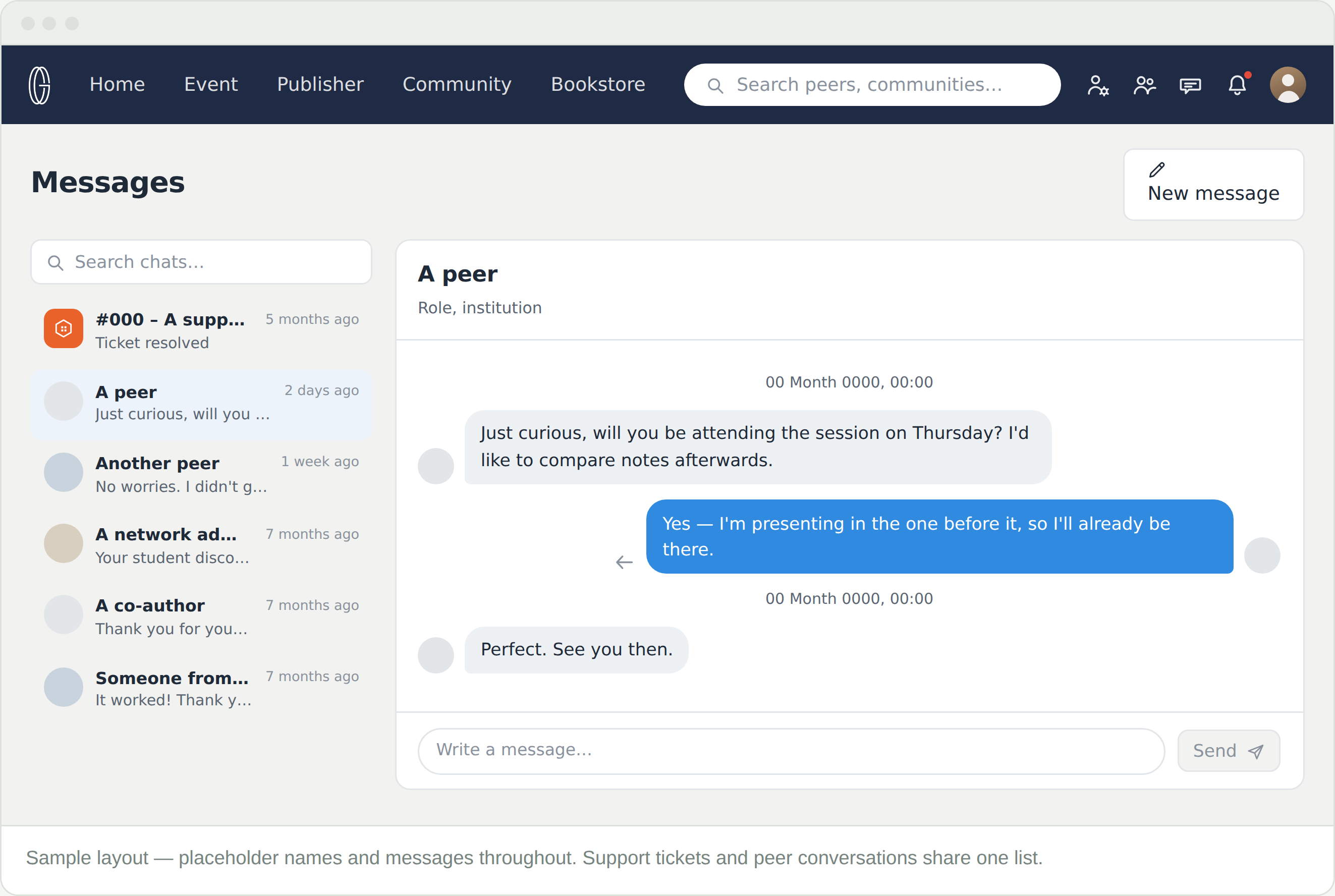
One inbox, two kinds of conversation. Everything you exchange with another scholar lives here — and so does every support ticket you have ever raised. They sit in the same list.

Where it is?

The message icon in the top bar, between peers and notifications. Conversations on the left, the open one on the right.

  • Search chats — above the list, and how you find a ticket from last year
  • New message — above the thread
  • The list is ordered by when each thread last moved, and it mixes everything together

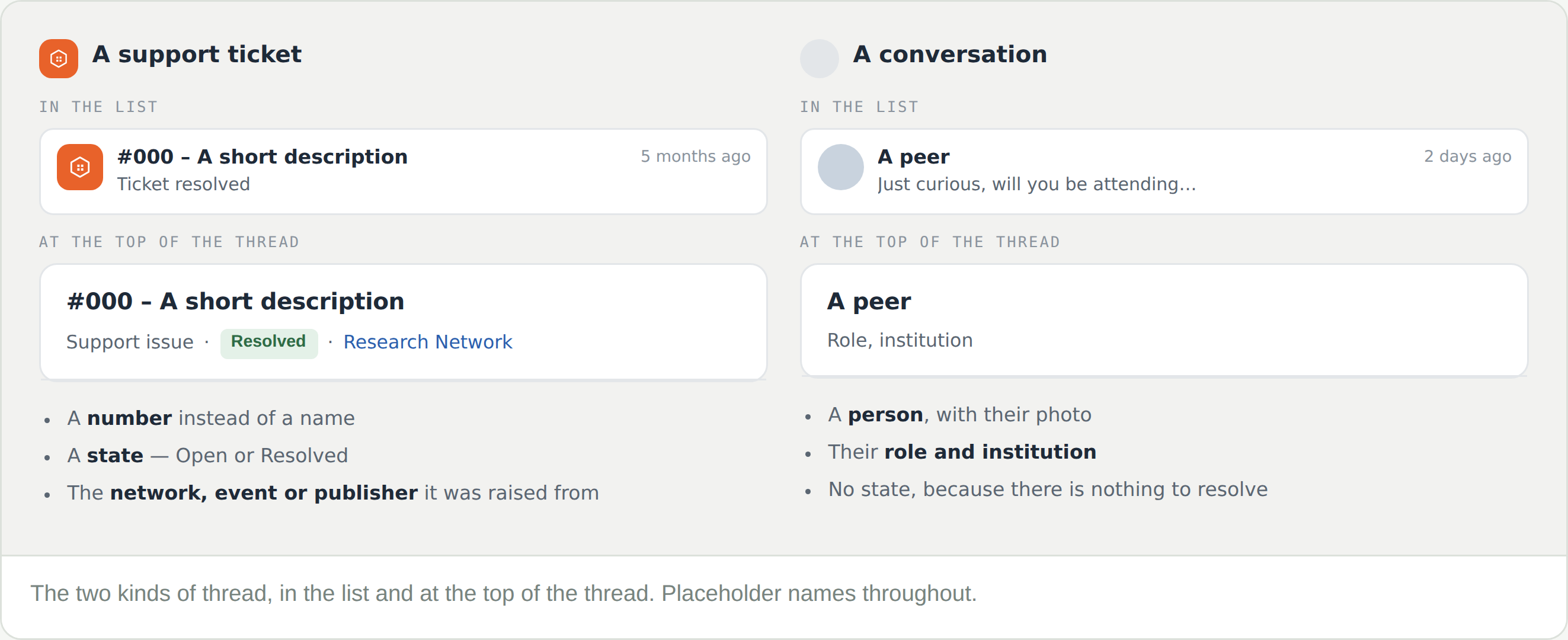
Telling the two apart

A conversation is titled with a person. A support ticket is titled with a number, and carries a line saying Support issue, its state, and what it was raised from.

That context line is the useful part. Six months later it tells you which conference a ticket was about without opening it.

Inside a thread

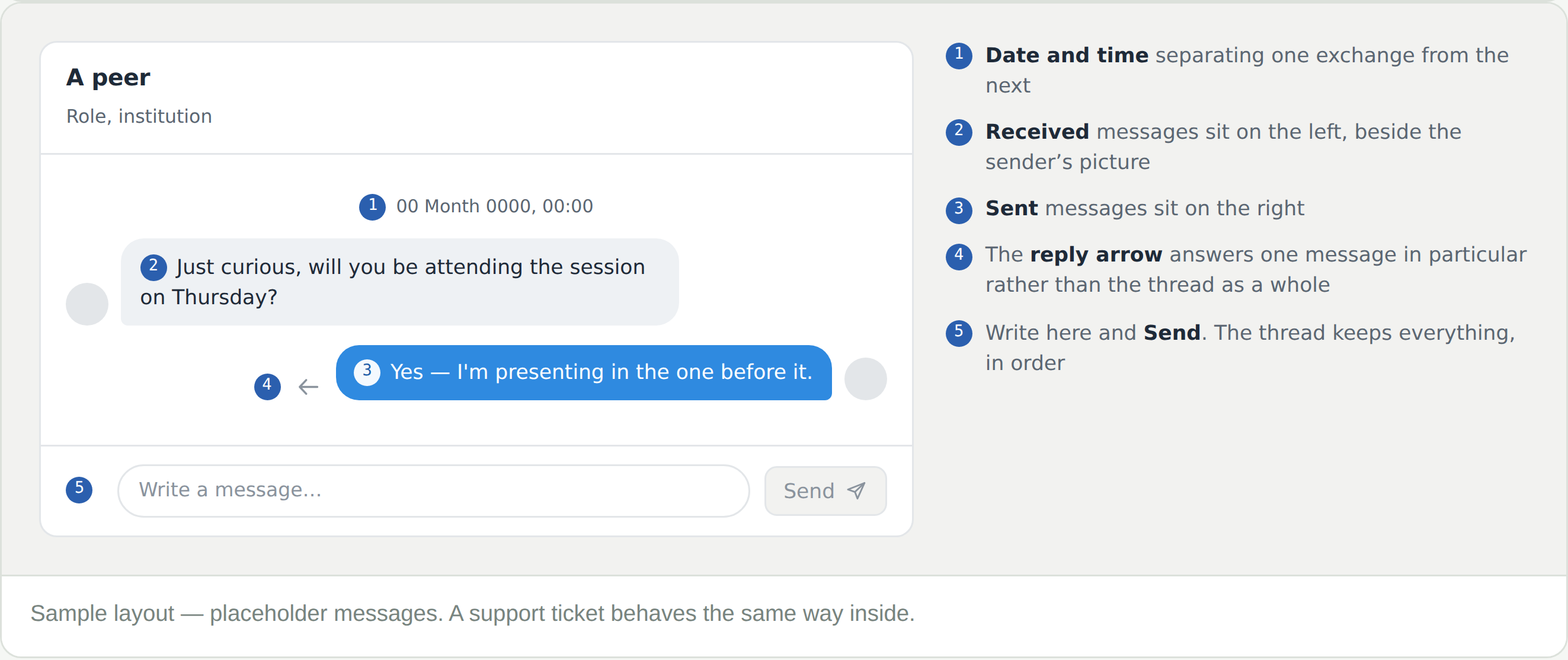
Messages you sent sit on the right, messages you received on the left. A date and time separates one exchange from the next, and the reply arrow answers one message in particular rather than the thread as a whole.

Nothing is archived away from you. The thread keeps everything, in order, for as long as the account exists — and a support ticket behaves the same way inside.

Frequently Asked Questions

I raised a support request — where is it?

Here. Support tickets open as conversations in Messages, in the same list as everything else, titled with their number.

I cannot find an old conversation

Search chats, above the list. The list is ordered by when each thread last moved, so anything from months ago is a long scroll otherwise.

Should I message an administrator or raise a ticket?

If it is about how the platform is behaving, raise a ticket from the page in question — it goes to the platform team with its context attached. If it is about a decision — a review, a program, a request — raise a support request instead.

Someone wrote to me, and I missed it

The message icon carries a marker when something is waiting, and what reaches you by email is set under Account settings → Notifications.

Can I reply to just one message in a long thread?

Yes — the reply arrow beside a message quotes it into your answer.