The discussion board

Every presentation has a discussion board. It is where the question you would have asked in the room gets asked anyway — by someone who watched at midnight, or a week later, or who was three floors away at the time.

Where to find it

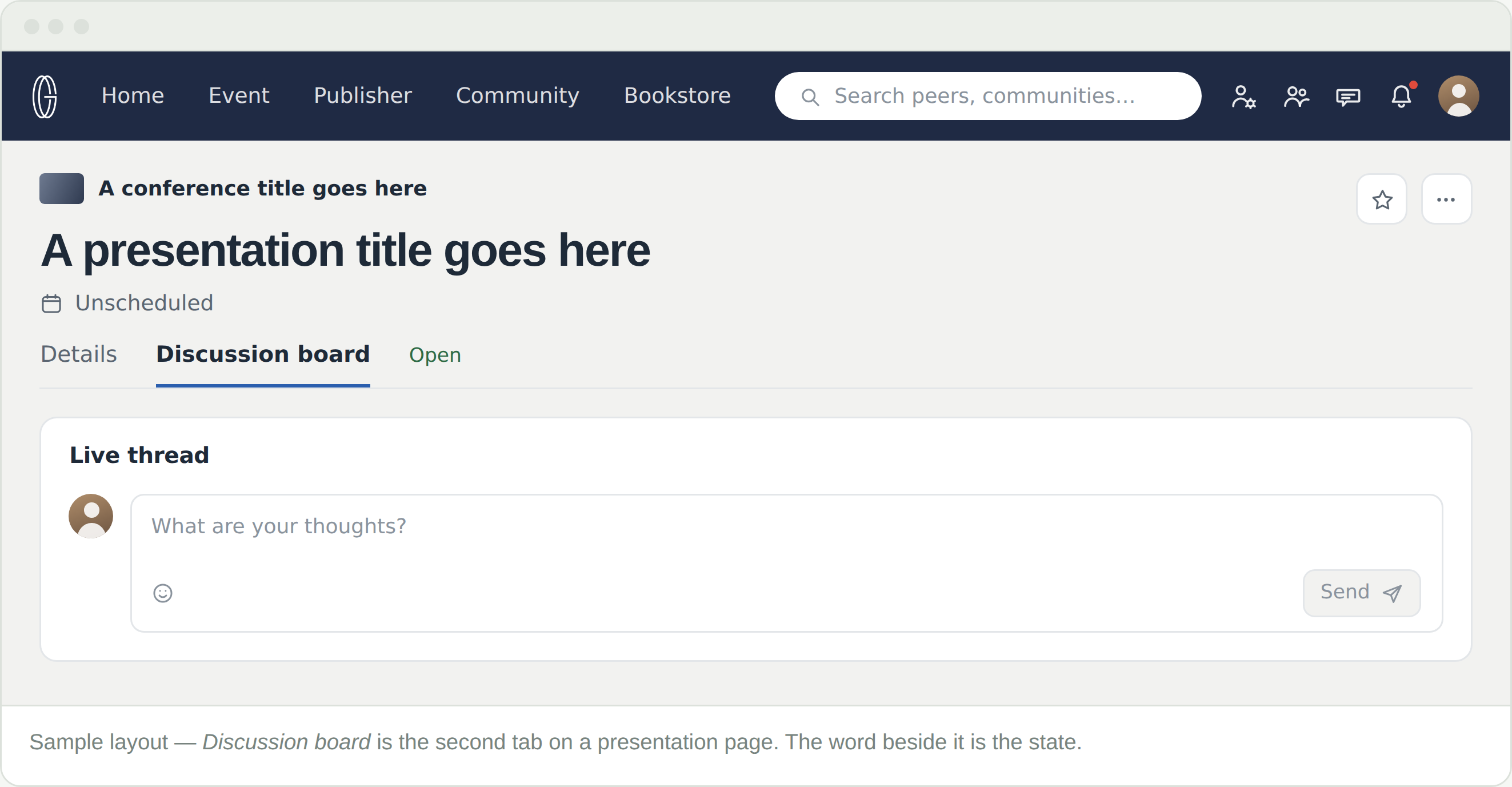
Discussion board is the second tab on any presentation page, beside Details. Inside it is a single card, headed Live thread, with a box to write in.

The small word beside the tab name is the state of the board. Read it before you look for the box.

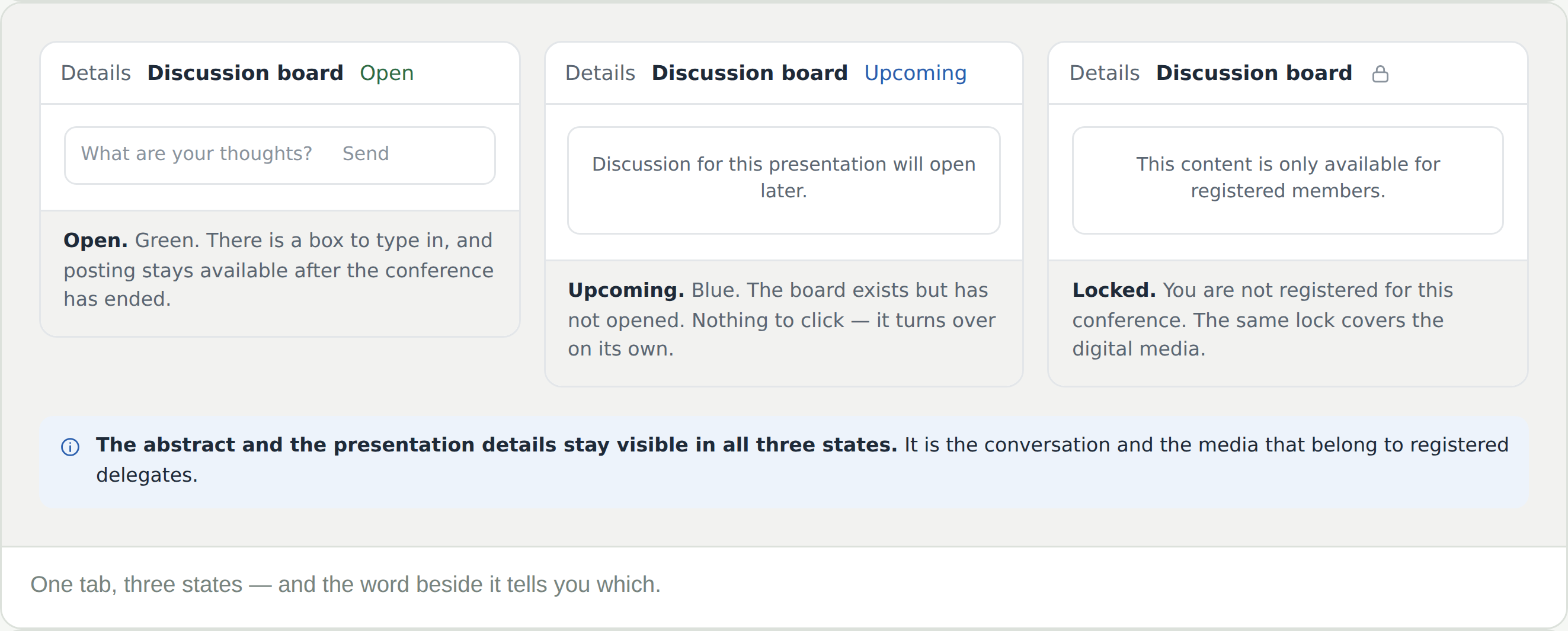
Three states, one word

  • Open, in green — there is a box to type in
  • Upcoming, in blue — the board exists but has not opened. There is nothing to click; it turns over on its own
  • Boards open the day before the conference and stay open afterwards
  • A padlock — you are not registered for this conference. The same lock covers the digital media

A board opens the day before the conference and never closes again. The abstract and the presentation details stay visible throughout; it is the conversation and the media that belong to registered delegates.

Post, and what reaches the presenter

Write in the box, add an emoji if you want one, and Send. Your post carries your name and links to your profile — the same profile that holds your own presentations, so people can follow you back to your work. Replies go one level deep: a board is a single conversation in order, not a tree.

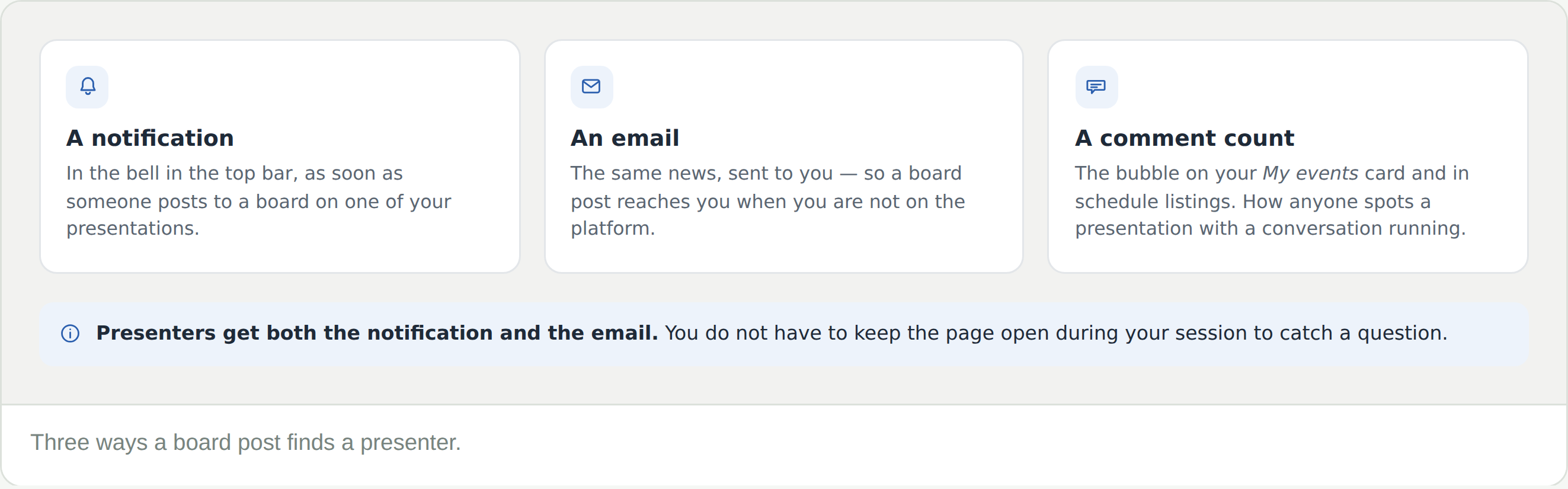
  • A notification in the bell in the top bar
  • An email, so a post reaches the presenter when they are not on the platform
  • The comment count — the bubble on the My events card and in schedule listings, which is how anyone spots a presentation with a conversation running

The board outlives the session. It stays open after the conference ends, alongside the media — a question asked three weeks later still reaches the presenter.

Asking a question people answer

A discussion board is not a comments section. What gets a real answer looks much like what works in the room — specific, generous, and answerable in a paragraph.

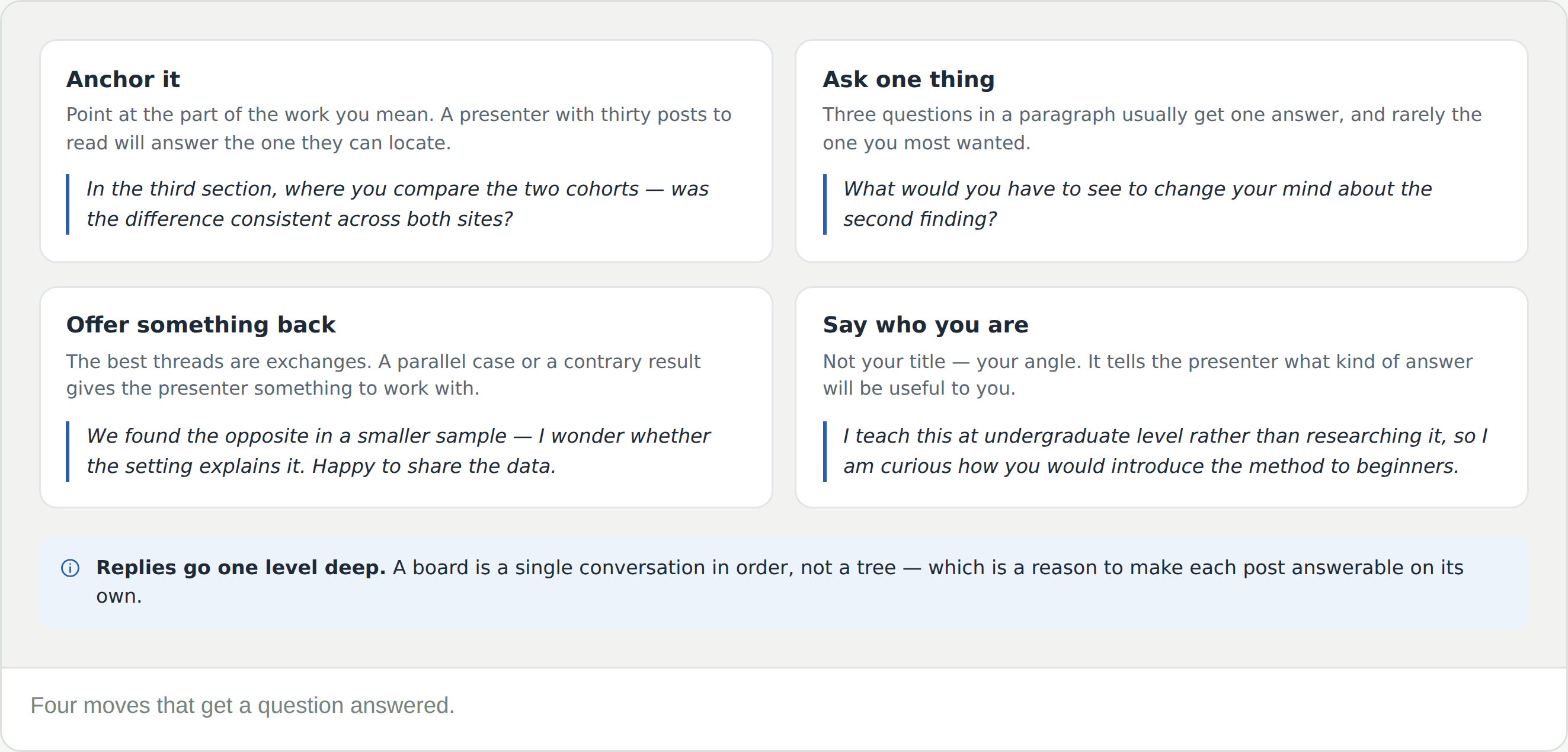
  • Anchor it — point at the part of the work you mean
  • Ask one thing — three questions in a paragraph usually get one answer
  • Offer something back — a parallel case or a contrary result gives the presenter something to work with
  • Say who you are — not your title, your angle

Frequently Asked Questions

There is no box to type in

Check the word beside the tab. Upcoming means the board has not opened yet — boards open the day before the conference. A padlock means you are not registered for this conference.

Is this the same as the event’s live thread?

No, and the naming is confusing. This board belongs to one presentation, and the card inside it happens to be headed Live thread. The conference’s own Live thread is a separate tab on the event, for the whole conference.

Can I reply to someone else’s post?

Yes, one level deep. A reply to a reply is not available — the thread stays a single conversation in order.

I am a presenter — how do I know someone posted?

Two ways at once: a notification in the bell, and an email. The comment count on your My events card also moves.

Can I still post after the conference?

Yes. The board stays open alongside the media, which is the point of keeping presentation pages up.

Nobody has replied to my question

Nothing expires. The presenter has been notified twice over, and the board stays open — an answer next week reaches you the same way.