How the rail behaves
The rail sits down the left of the Schedule tab and is the same in list view and calendar view. Tick anything and the header counts it and offers Clear all.
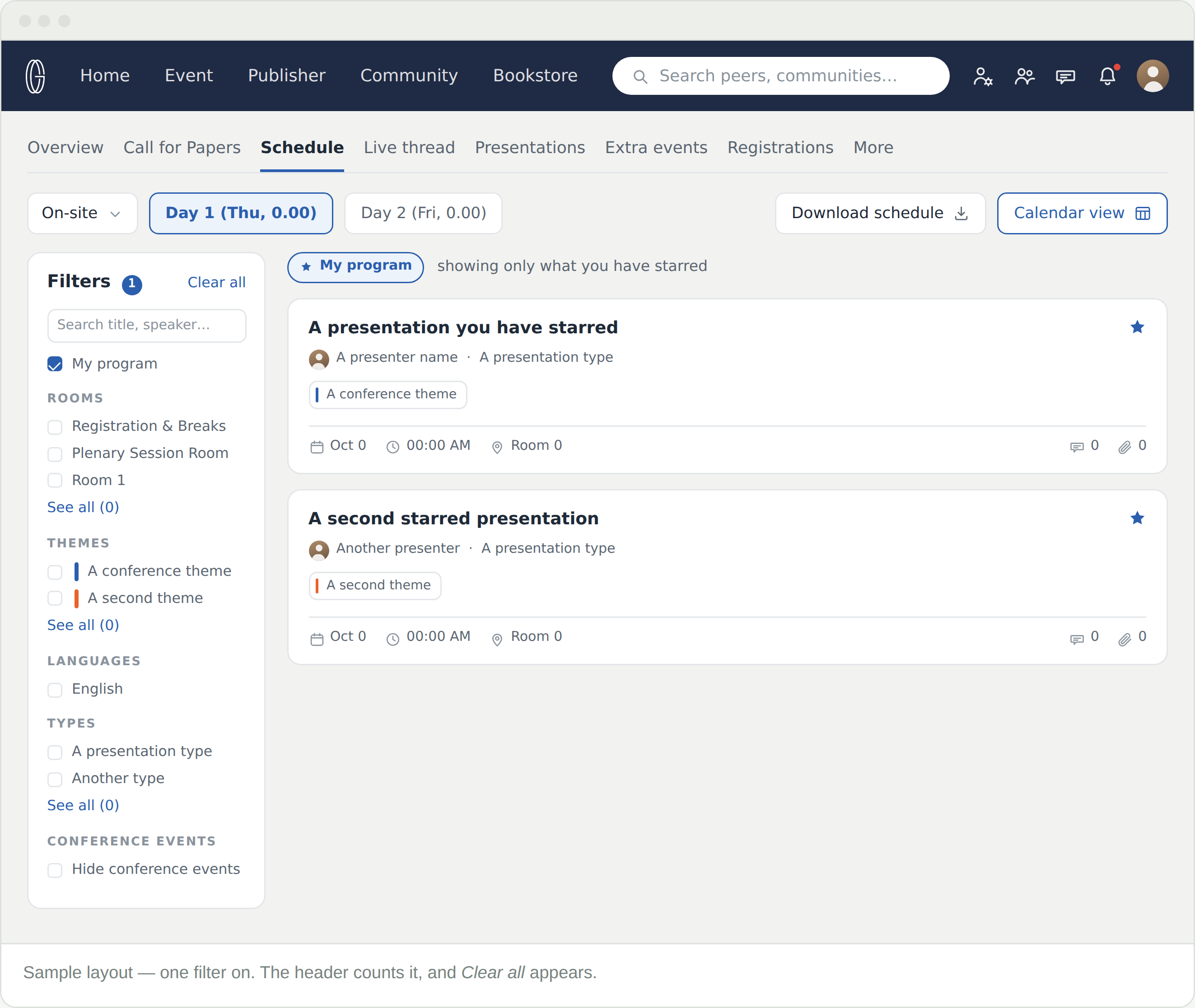
The rail sits down the left of the Schedule tab and is the same in list view and calendar view. Tick anything and the header counts it and offers Clear all.
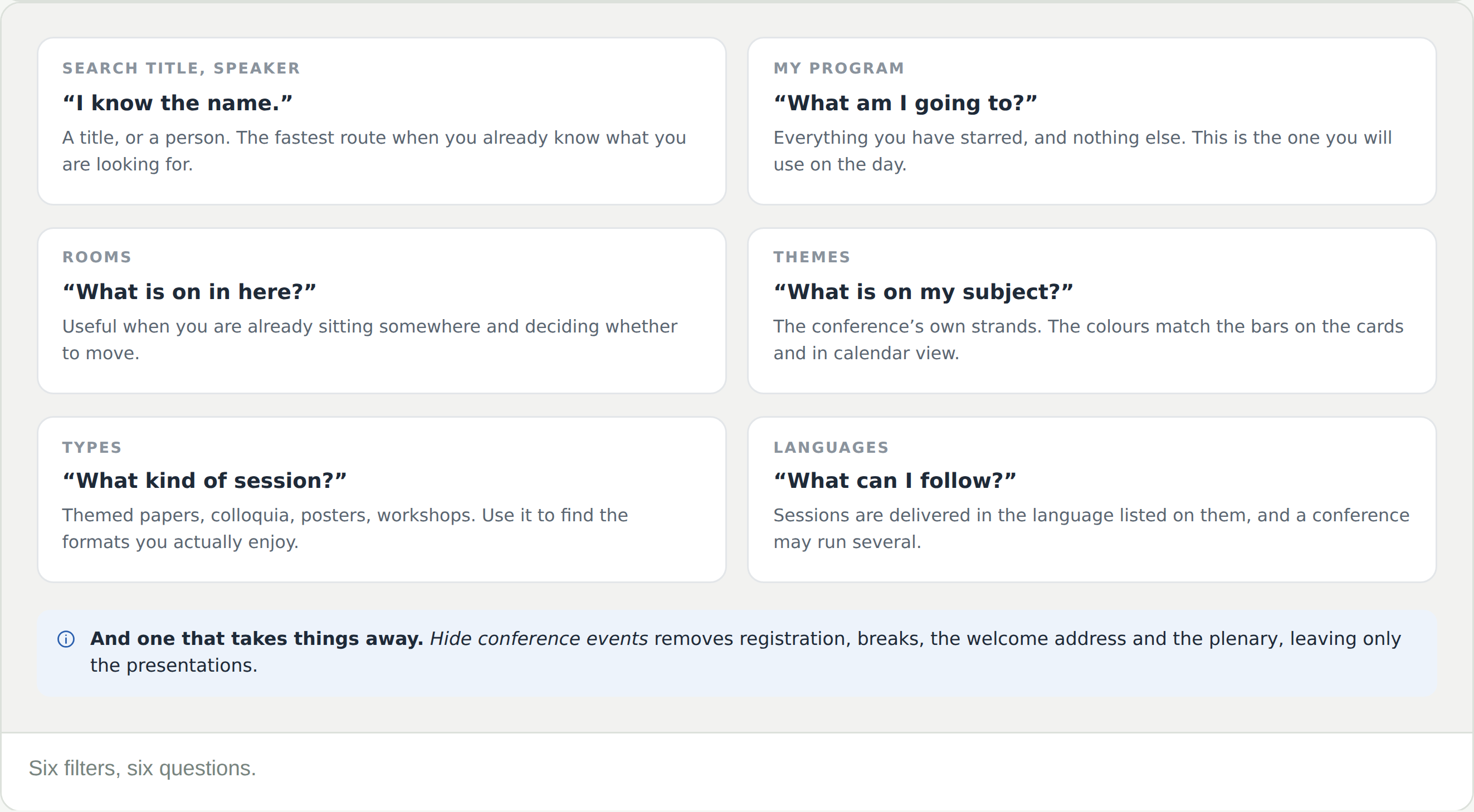
One filter takes things away rather than narrowing. Hide conference events removes registration, breaks, the welcome address and the plenary, leaving only the presentations.
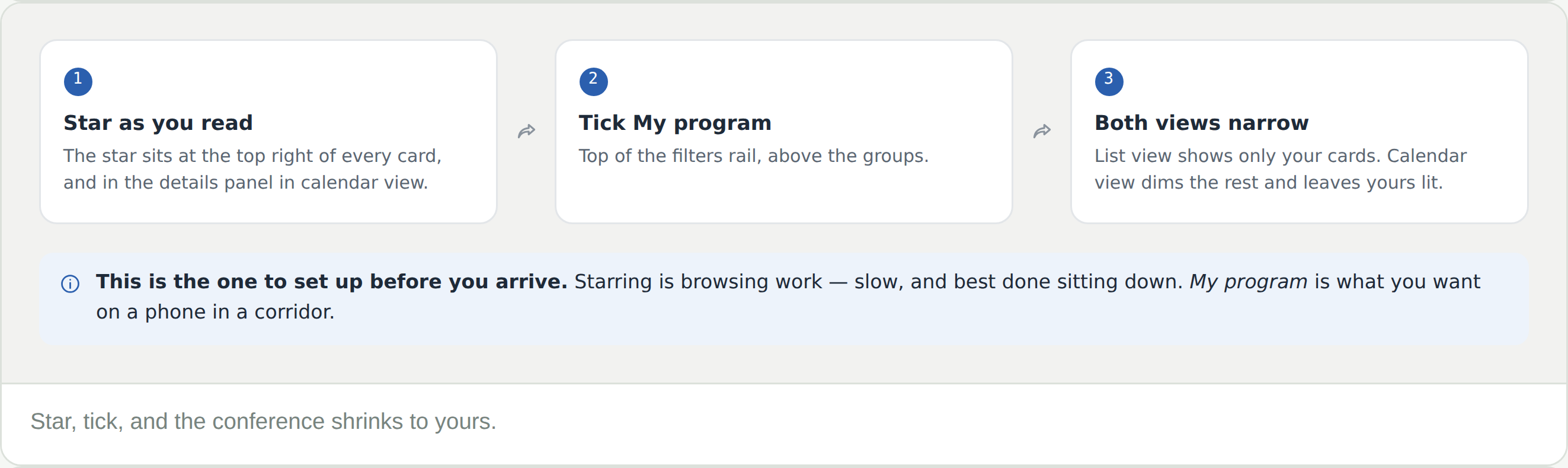
The star at the top right of a card is what fills My program. Star sessions as you read, then tick My program at the top of the rail. List view shows only your cards; calendar view dims the rest and leaves yours lit.
Do the starring before you arrive. Browsing is slow work and is best done sitting down; My program is what you want on a phone in a corridor.
Hit Clear all first. If it is still missing, check the mode dropdown — it is a different programme, not a filter, and Clear all leaves it alone.
Star them. The star is at the top right of every card, and in the details panel in calendar view.
Yes. The rail is the same in both, and what you tick in one is still on in the other.
Hide conference events is ticked. Untick it and registration, breaks, the welcome address and the plenary come back.
Each group shows a few and then See all. The same applies to themes and types.
The day chips above the rail do that, and they are not part of the rail — Clear all will not undo a day.