I submitted a post to a community and it has not appeared
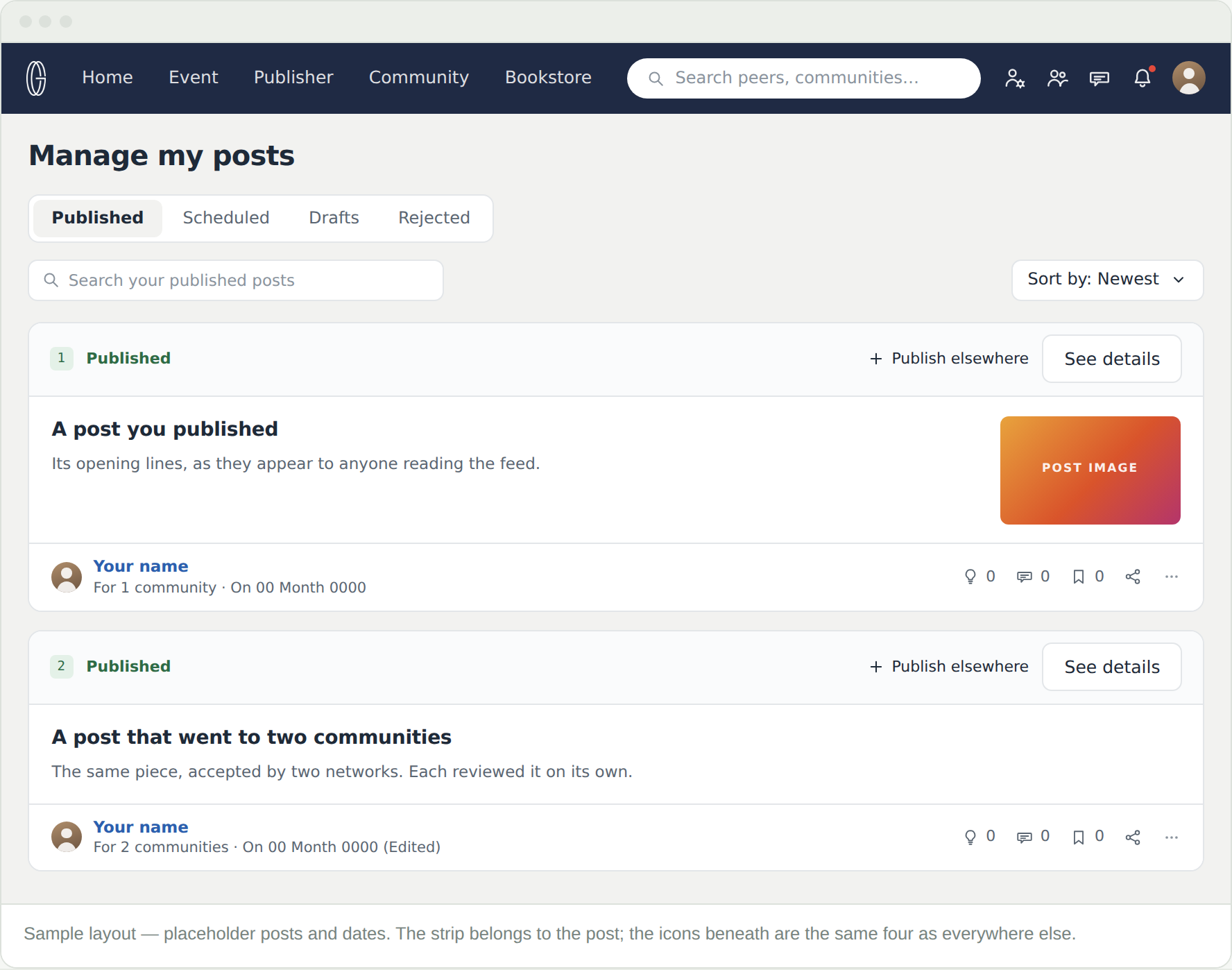
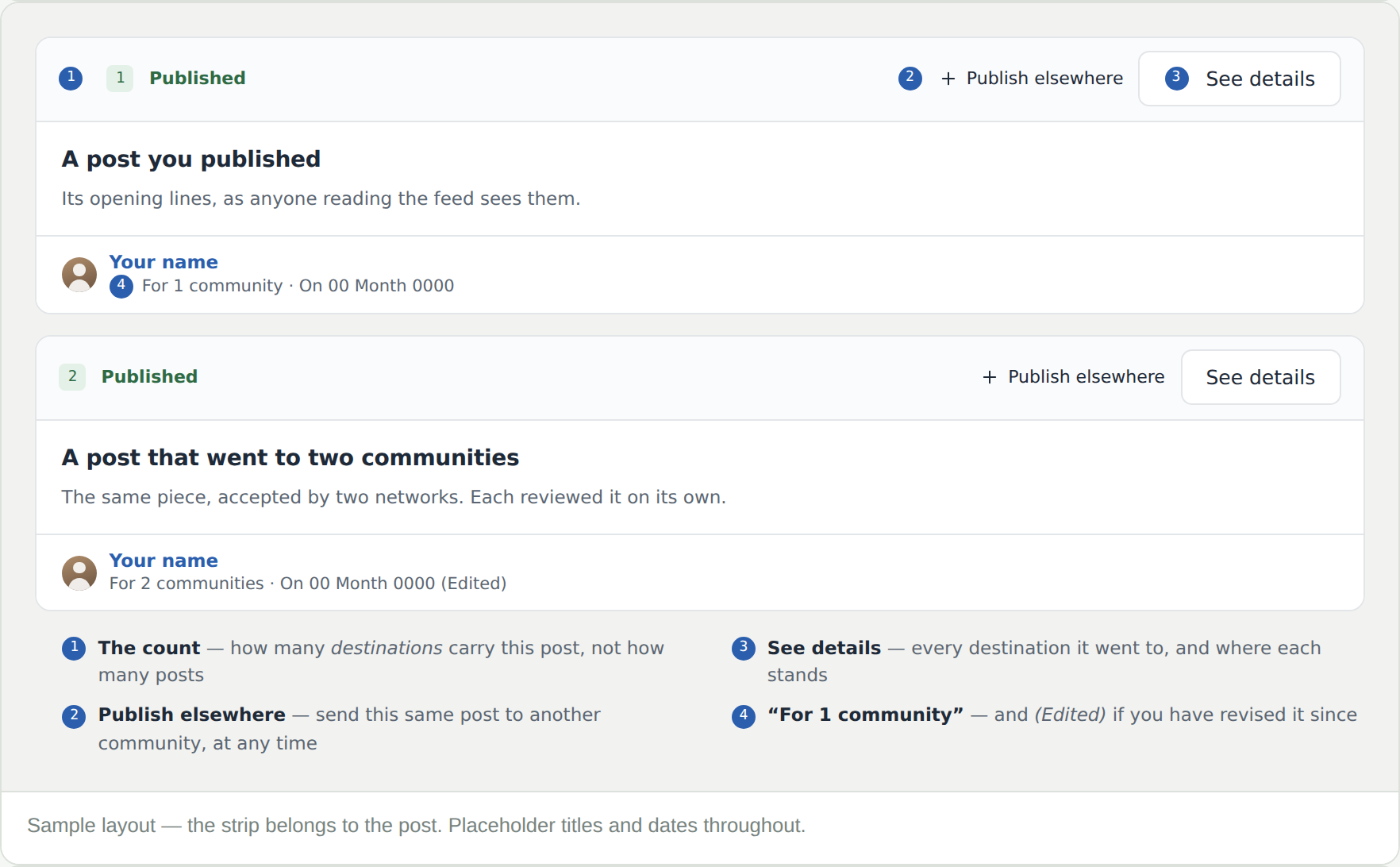
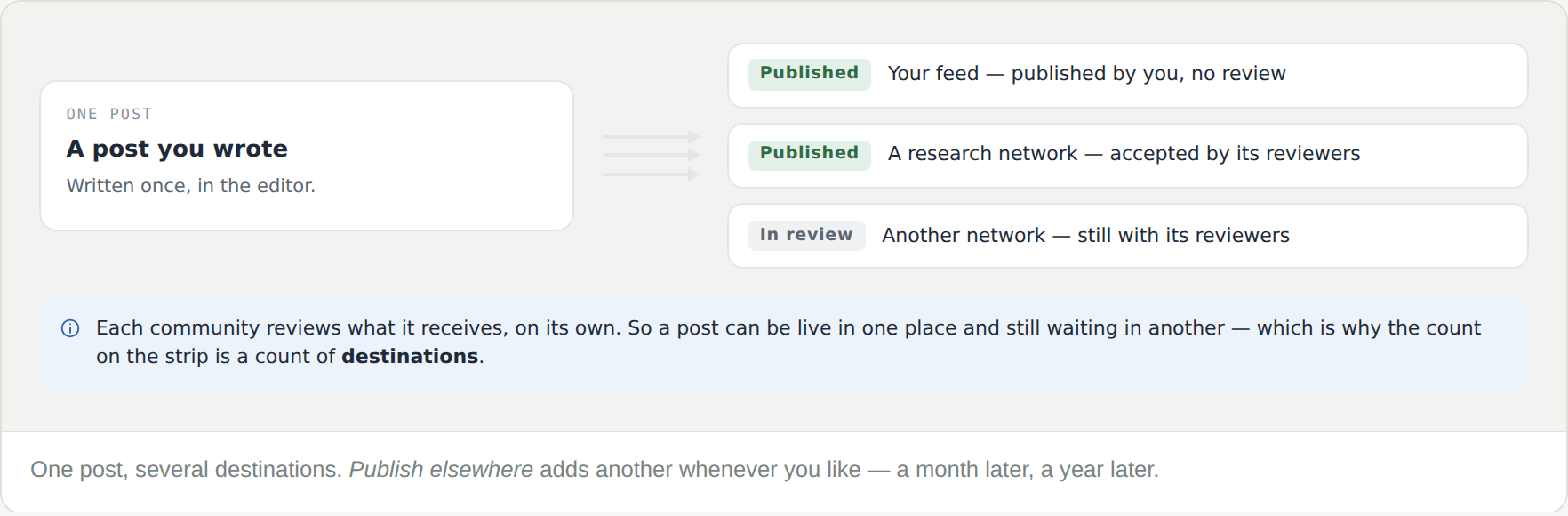
Check Rejected first, then See details on the post under Published — a post can be live in one network and still under review in another.
Can I add a community after publishing?
Yes — Publish elsewhere on the post’s strip. It goes to that network’s review like any other submission.
My post was rejected. Can I fix it?
Yes. Edit it in the Rejected tab and offer it again, here or to a different network. Posting to a community covers what reviewers look for — and what will never pass, such as anything commercial.
Where is this page?
Manage my posts, in the left column of your feed and of your profile.
What are the icons under my post?
The same four as everywhere else — see Your feed for the key.