Finding the list
Select your profile picture at the far right of the top bar, then Memberships — the same menu that holds Your profile and Account settings.
It is not inside any one community. Everything you belong to is on this one page.
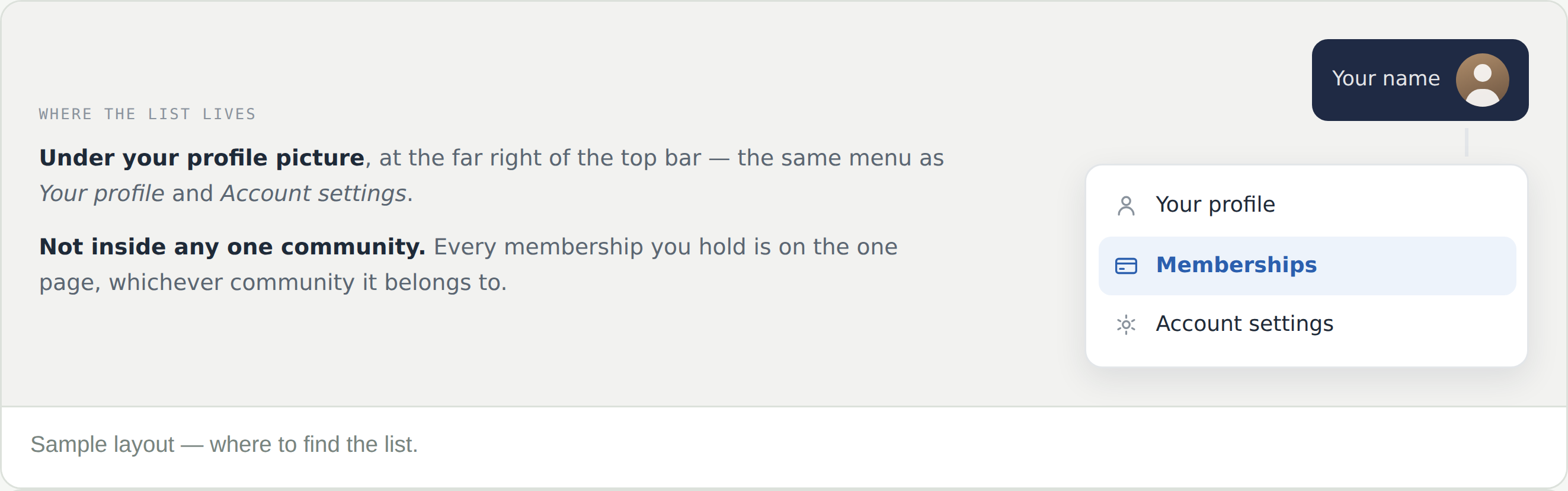
Select your profile picture at the far right of the top bar, then Memberships — the same menu that holds Your profile and Account settings.
It is not inside any one community. Everything you belong to is on this one page.
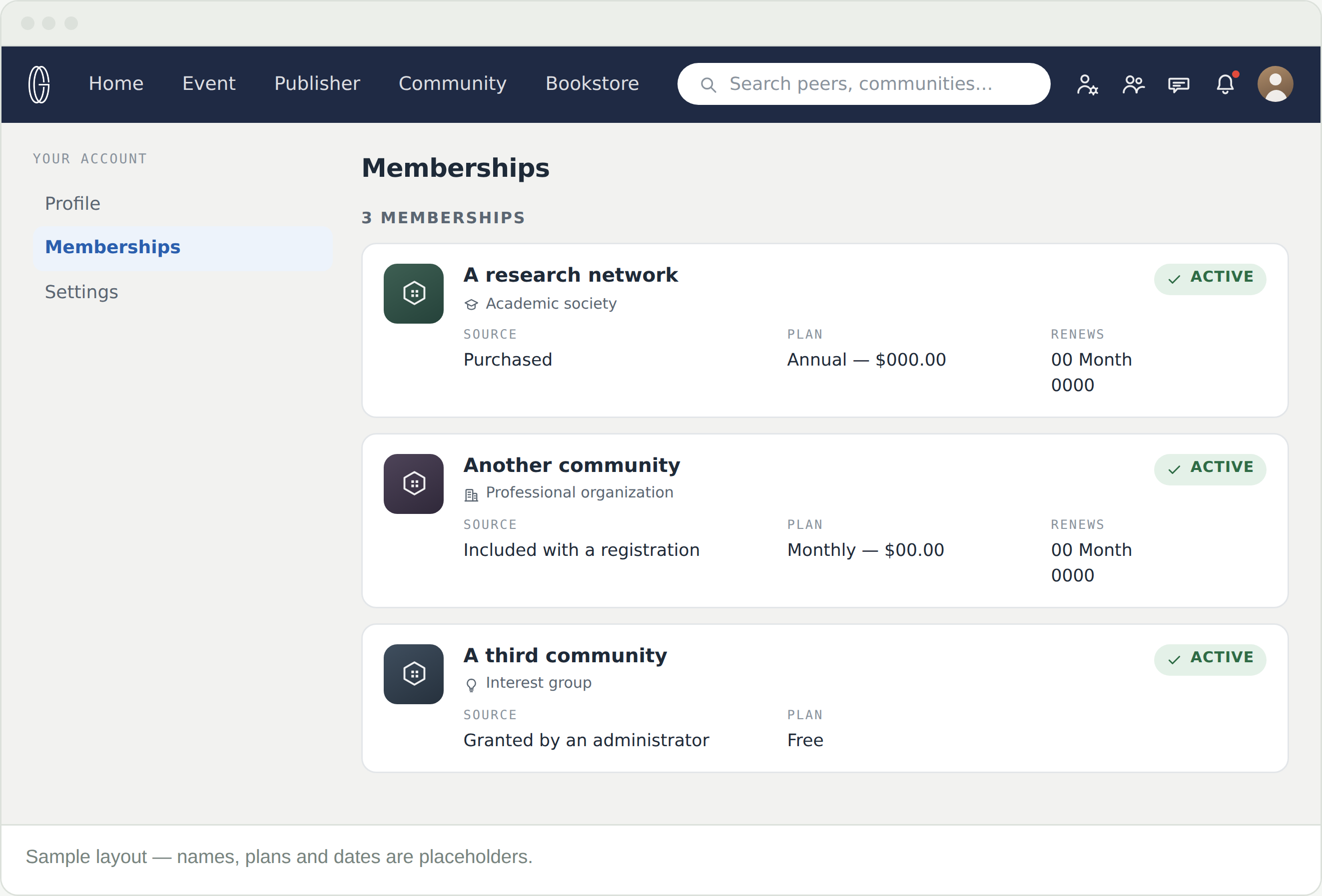
One row per membership, newest arrangement to oldest. Communities of different types sit together here — an academic society, a classroom and an interest group all look the same in this list, whatever they cost.
Check the renewal date before a conference, not after. That is when the discount matters.
Benefits are set by each community and listed on its Pricing tab. Some are common enough to expect: members receive 15% off event registration, and content the community publishes opens up in the Bookstore.
Register as a member, not as a guest. The discount is applied to your registration, so being a member first is what makes it count.
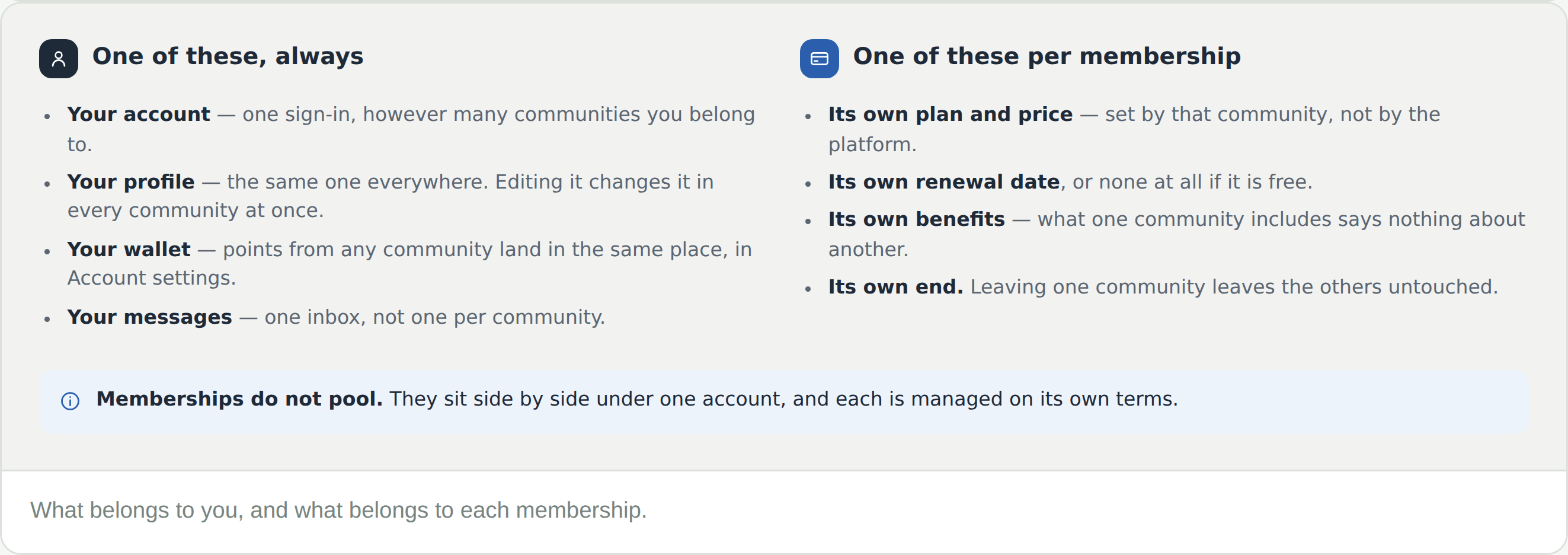
Most people end up with more than one. They sit side by side rather than combining — and it is worth knowing which parts of the platform are yours and which belong to a particular membership.
What one community includes says nothing about another. Read each Pricing tab on its own.
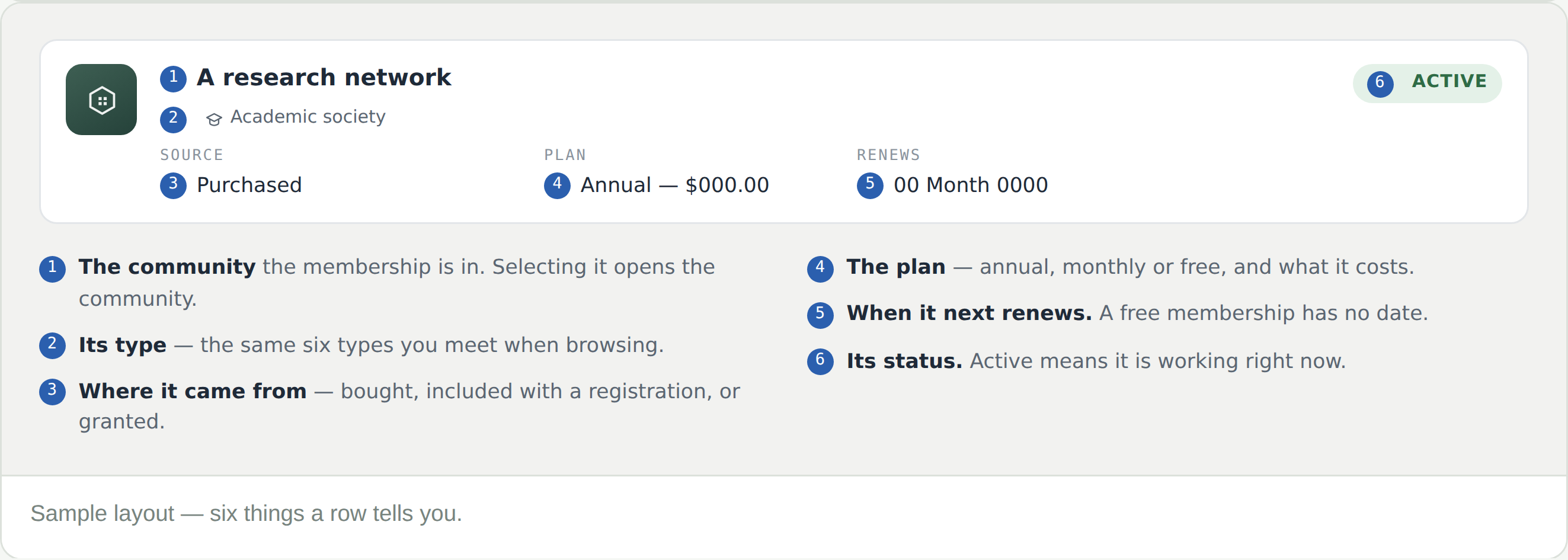
Check Source. Some memberships come with a conference registration, and some are granted by a community’s administrators. Both appear here the same way a purchase does.
Renews is the date. A free membership has no renewal date because there is nothing to renew.
Be a member before you register — 15% comes off event registration. Check Renews first if your membership is close to lapsing.
The terms are set by the community, and they are stated on its Pricing tab. If they do not answer your case, raise a support request from the community — it reaches the people who run it, and comes back as a numbered ticket in your Messages.
Following is not membership. Only memberships appear on this page — what you follow shows up in your feed instead.
They land in the same wallet, in Account settings. They are usable only in CGPublisher, and they expire — so spend the oldest first.