Reading a session listing

A conference program is hundreds of cards, and each one has about four seconds to tell you whether to go. This is what is on a card and how to read it quickly.

What is on a card

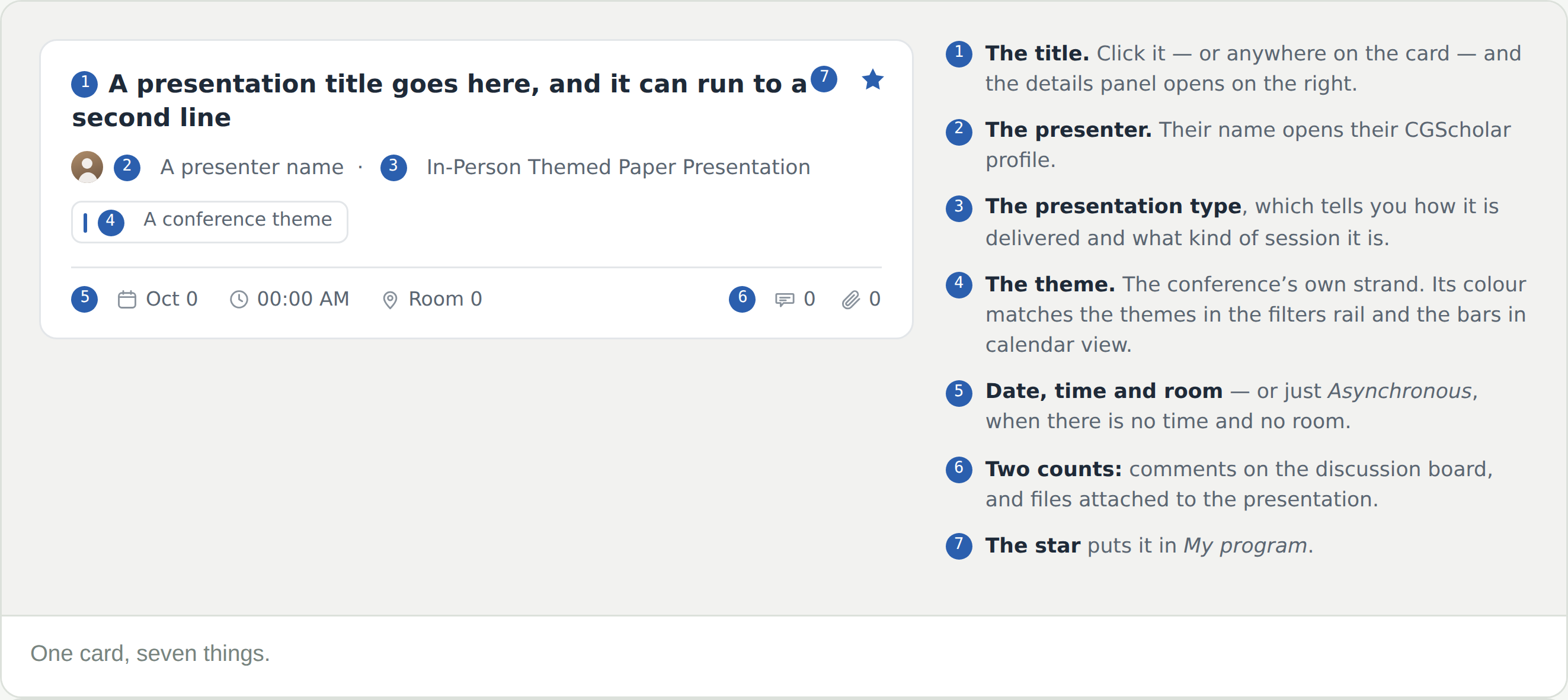
  • The title — click it, or anywhere on the card, and the details panel opens on the right
  • The presenter, whose name opens their CGScholar profile
  • The presentation type, which is the most useful thing on the card and the subject of the next step
  • The theme — the conference’s own strand, colour-matched to the filters rail and to the bars in calendar view
  • Date, time and room — or just Asynchronous, where there is neither
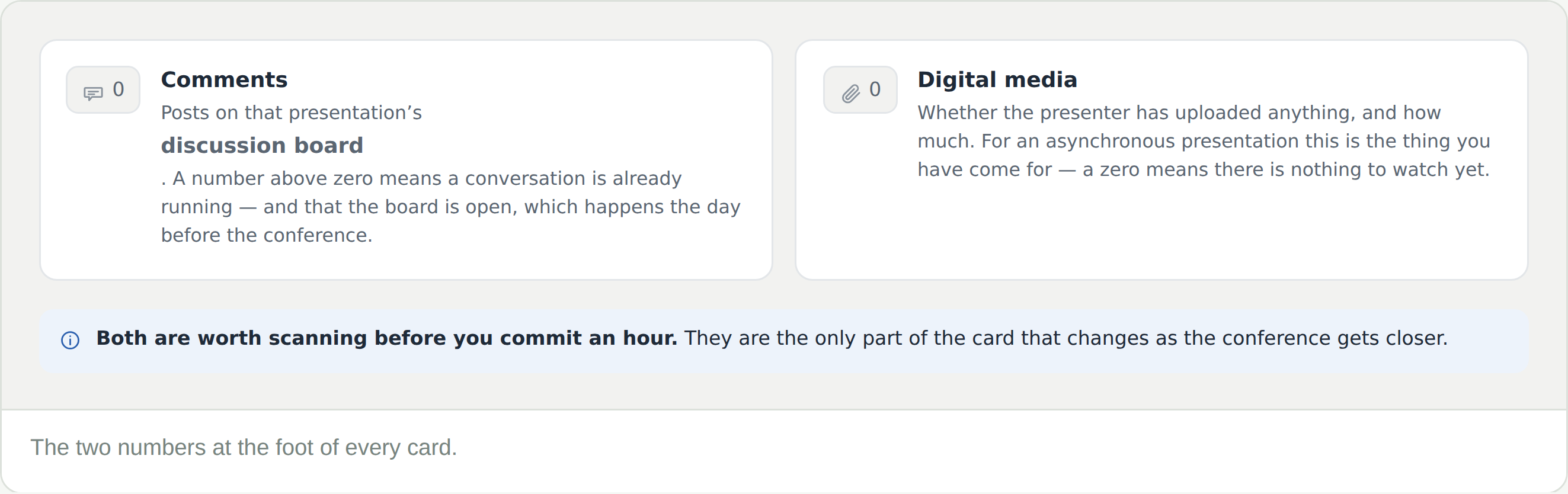
  • Two counts at the foot: comments, and digital media
  • A star, top right, which puts it in My program

The card is a summary. The details panel it opens carries the abstract and the presenters, and See full details from there opens the presentation page.
Reading the presentation type

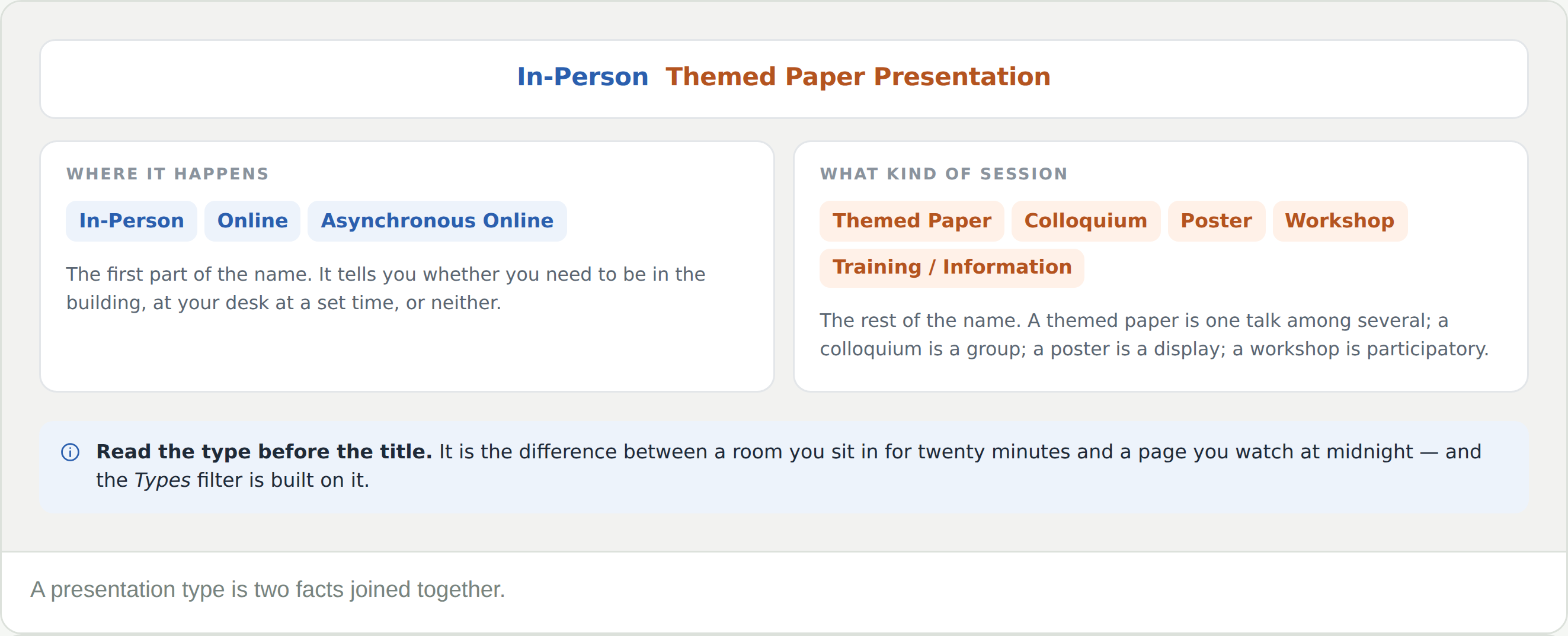
A type name is two facts joined together. In-Person Themed Paper Presentation is in person plus themed paper.

  • Where it happensIn-Person, Online or Asynchronous Online. Whether you need to be in the building, at your desk at a set time, or neither
  • What kind of session — a themed paper is one talk among several; a colloquium is a group presenting together; a poster is a display; a workshop is participatory

Read the type before the title. It is the difference between a room you sit in for twenty minutes and a page you watch at midnight.

The two counts

  • Comments — posts on that presentation’s discussion board. Above zero means a conversation is already running, and that the board is open, which happens the day before the conference
  • Digital media — whether the presenter has uploaded anything, and how much. For an asynchronous presentation this is the thing you have come for, and a zero means there is nothing to watch yet

These two numbers are the only part of a card that changes as the conference gets closer.

The other kind of card

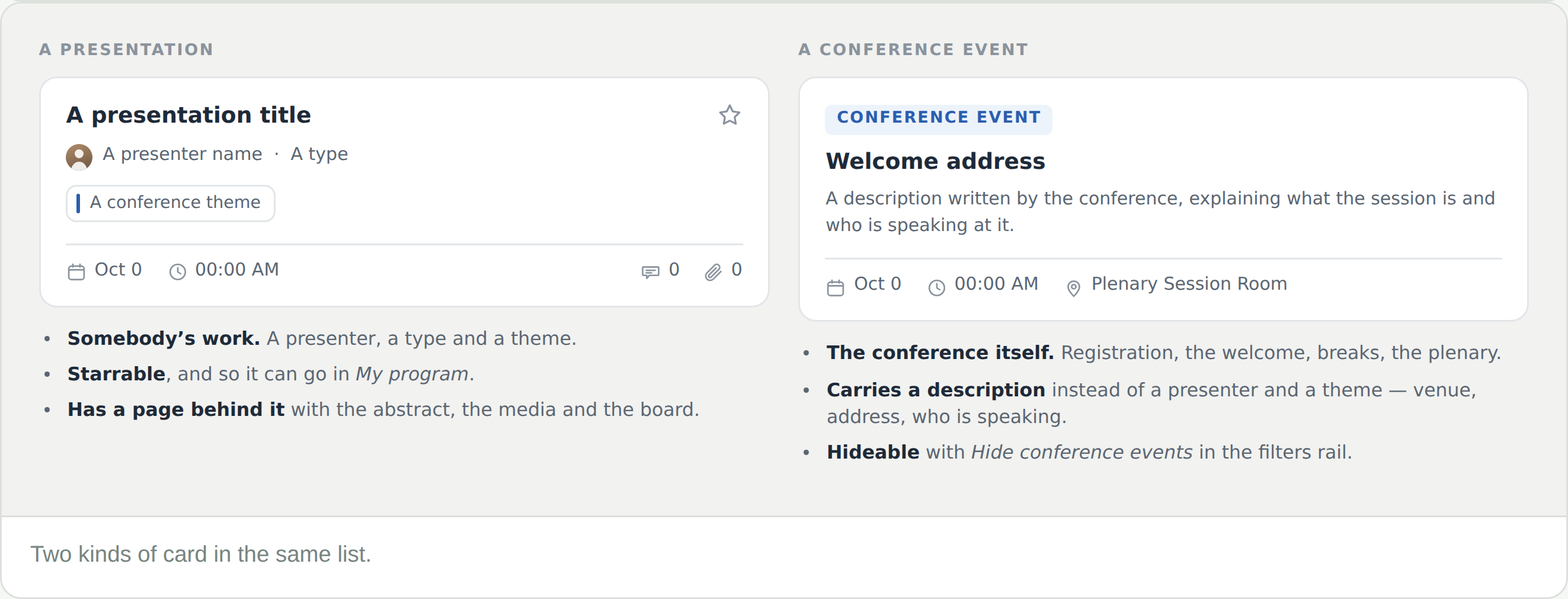
Some cards in the list are not presentations at all. A conference event — registration, the welcome address, a break, the plenary — carries a blue label and a description written by the conference, with the venue, the address and who is speaking.

  • No presenter, no theme, and no star — a conference event is not something you add to My program
  • Read them once. They carry the practical detail that appears nowhere else, including how to find the venue
  • Hide conference events in the filters rail takes them out when you are only looking for papers


Frequently Asked Questions

The card says Asynchronous instead of a time

That is the whole point of an asynchronous presentation: no time and no room. Watch it on its presentation page whenever suits you.

What is the difference between a themed paper and a colloquium?

A themed paper is one talk among several in a session. A colloquium is a group presenting together on one topic. The type name tells you which.

The paperclip says zero

No digital media has been uploaded yet. Media deadlines fall shortly before the conference, so a zero well beforehand is normal — the night before, less so.

Where is the abstract?

Click the card. The details panel carries the opening of it with a Read more, and See full details opens the presentation page with the whole thing.

Some cards have no star

Those are conference events. They are part of the programme but not something you add to My program.

Two sessions look identical

Check the type and the room. A conference often runs the same theme in several rooms at once, and the theme chip alone will not separate them.