CGScholar Wallet Guide

How to find and understand your CGScholar Points and Credits.

Your CGScholar Wallet

Your CGScholar Wallet is where you can view a summary of the Points and Credits connected to your CGScholar account.

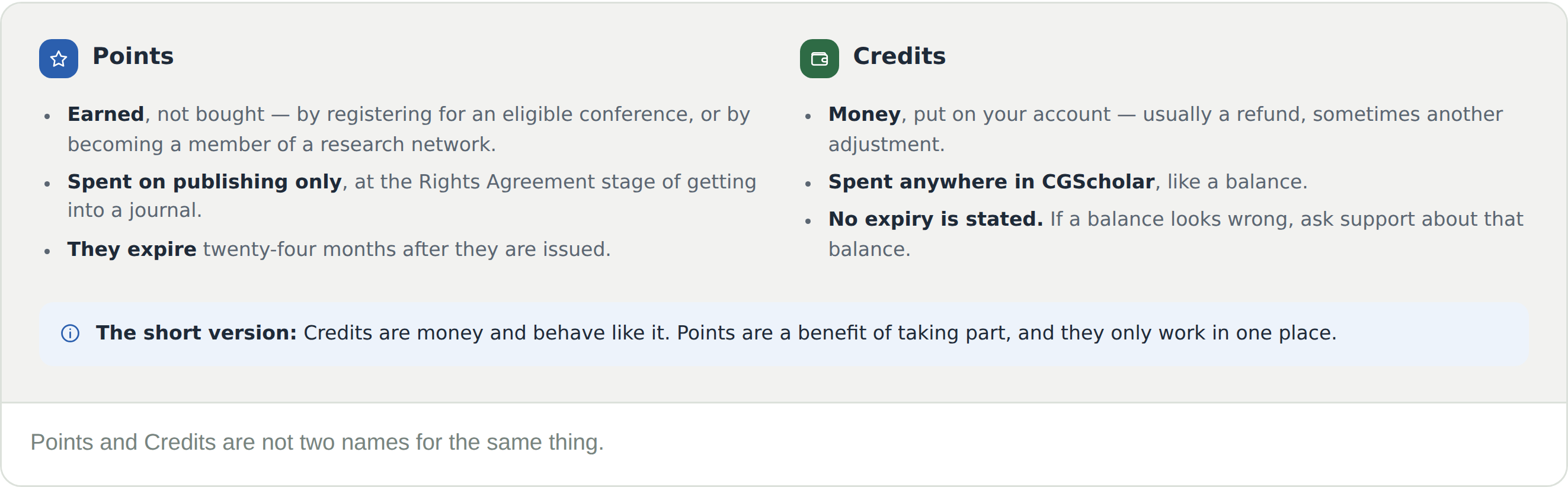
Points and Credits both appear in your Wallet, but they work in different ways.

Points are earned through eligible scholarly activity, such as registering for a conference or becoming a Research Network Member.

Credits are added to your Wallet from refunds or other account adjustments and can be used at payment points in the CGScholar scholarly communication ecosystem.

How to Find Your Wallet

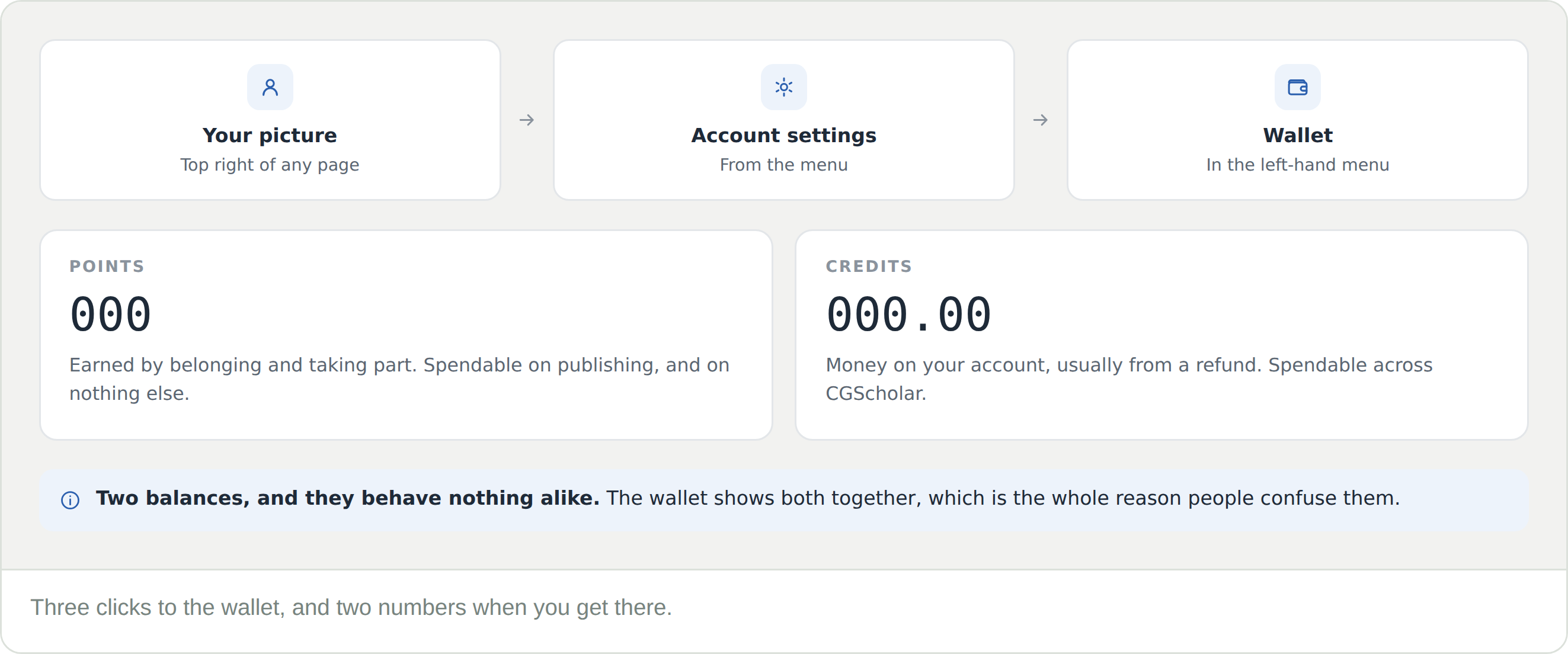
1. Sign in to CGScholar.

2. Select your profile image or account icon in the top-right corner.

3. Choose Account settings from the profile menu.

4. In Account settings, select Wallet from the left-hand menu.

5. Review your available Points and Credits.


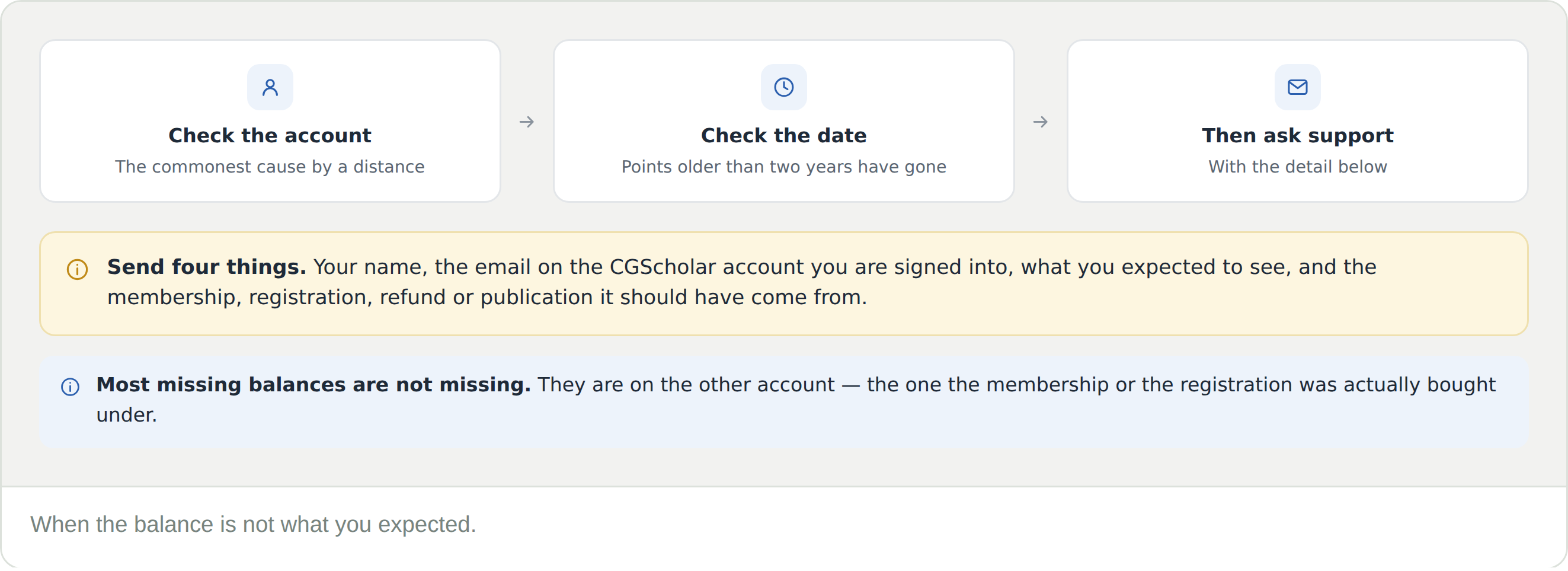
Your Wallet shows the balances connected to the CGScholar account you are signed into. If you do not see expected Points or Credits, make sure you are using the same account connected to your membership, conference registration, refund, or publishing activity.

Points

In the CGScholar scholarly communication ecosystem, you may earn Points when registering for an eligible conference or becoming a Research Network Member.

Points are used during the Rights Agreement phase of the journal publication process. They may be applied toward eligible publishing options according to the rules connected to your membership, registration, or publishing pathway.

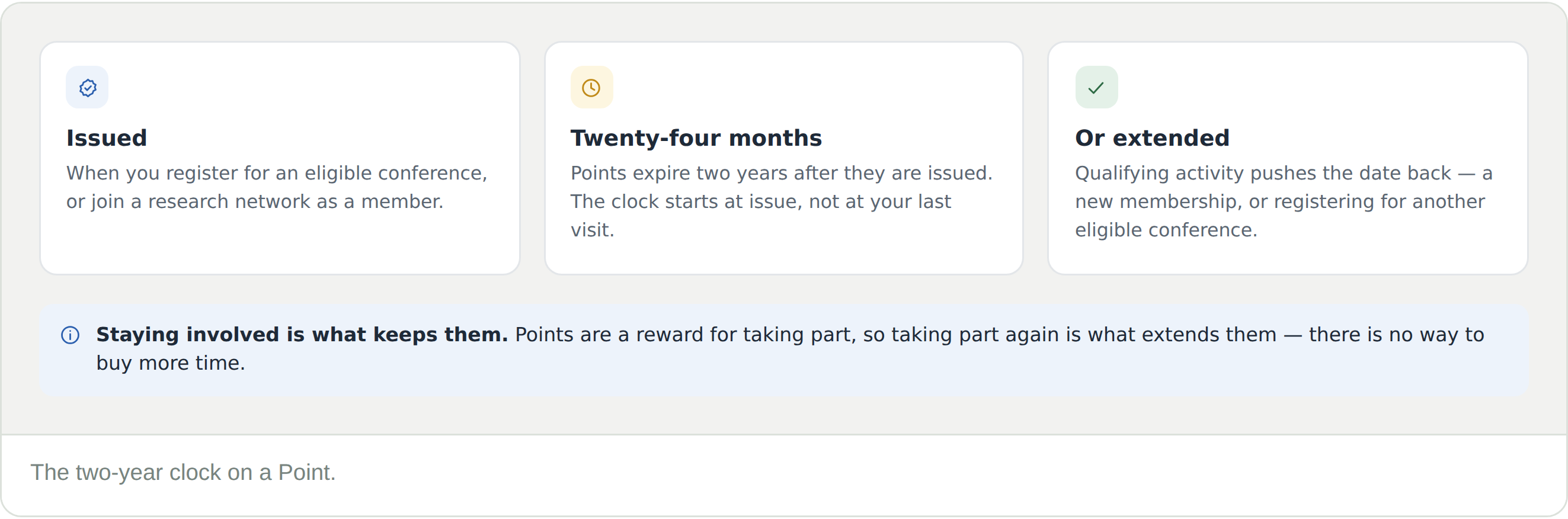
CGScholar Points expire 24 months after they are issued. Points may be extended through qualifying activity, including a new membership purchase or eligible conference registration.

Credits

Credits are added to your CGScholar Wallet from refunds or other account adjustments.

Credits can be used at payment points in the CGScholar scholarly communication ecosystem. For example, if a refund is issued as credit to your Wallet, that credit may be available for eligible future payments in CGScholar.

Credits are not the same as Points. Credits function more like an account balance connected to your CGScholar profile.

Frequently Asked Questions

What is the CGScholar Wallet?

Your CGScholar Wallet is where you can view a summary of your available Points and Credits connected to your CGScholar account.

How do I find my CGScholar Wallet?

Sign in to CGScholar, select your profile image or account icon in the top-right corner, and choose Account settings. Then select Wallet from the left-hand menu.

What are CGScholar Points?

Points are earned through eligible activity in the CGScholar scholarly communication ecosystem, such as registering for a conference or becoming a Research Network Member.

What are CGScholar Points used for?

Points are used during the Rights Agreement phase of the journal publication process and may be applied toward eligible publishing options.

What are CGScholar Credits?

Credits are account funds added to your Wallet, usually from refunds or other account adjustments.

What are Credits used for?

Credits can be used at payment points in the CGScholar scholarly communication ecosystem.

Are Points and Credits the same thing?

No. Points and Credits are different. Points are earned benefits connected to membership, conference registration, and publishing pathways. Credits are account funds, usually connected to refunds or account adjustments.

Can I use Credits for payments in CGScholar?

Yes. Credits may be used at eligible payment points in the CGScholar scholarly communication ecosystem.

Can I use Points anywhere in CGScholar?

No. Points are used for eligible publishing activities, especially during the Rights Agreement phase of the journal publication process.

Do CGScholar Points expire?

Yes. CGScholar Points expire 24 months after they are issued.

Can CGScholar Points be extended?

Yes. Points may be extended through qualifying activity, including a new membership purchase or eligible conference registration.

Do Credits expire?

Credits are account funds connected to your Wallet. Check your Wallet or contact support if you have questions about a specific credit balance.

Why don’t I see my Points or Credits?

You may be signed into a different CGScholar account than the one connected to your membership, conference registration, refund, or publishing activity. Check that you are using the correct account.

What should I do if my Wallet balance looks wrong?

Contact support with your name, CGScholar account email, and details about the membership, registration, refund, or publishing activity connected to the expected Points or Credits.