Your Profile

One profile carries you across the whole platform — your presentations at every conference, your posts in every community, your publications in the bookstore. It is what a new peer finds when your work interests them.

What the page holds

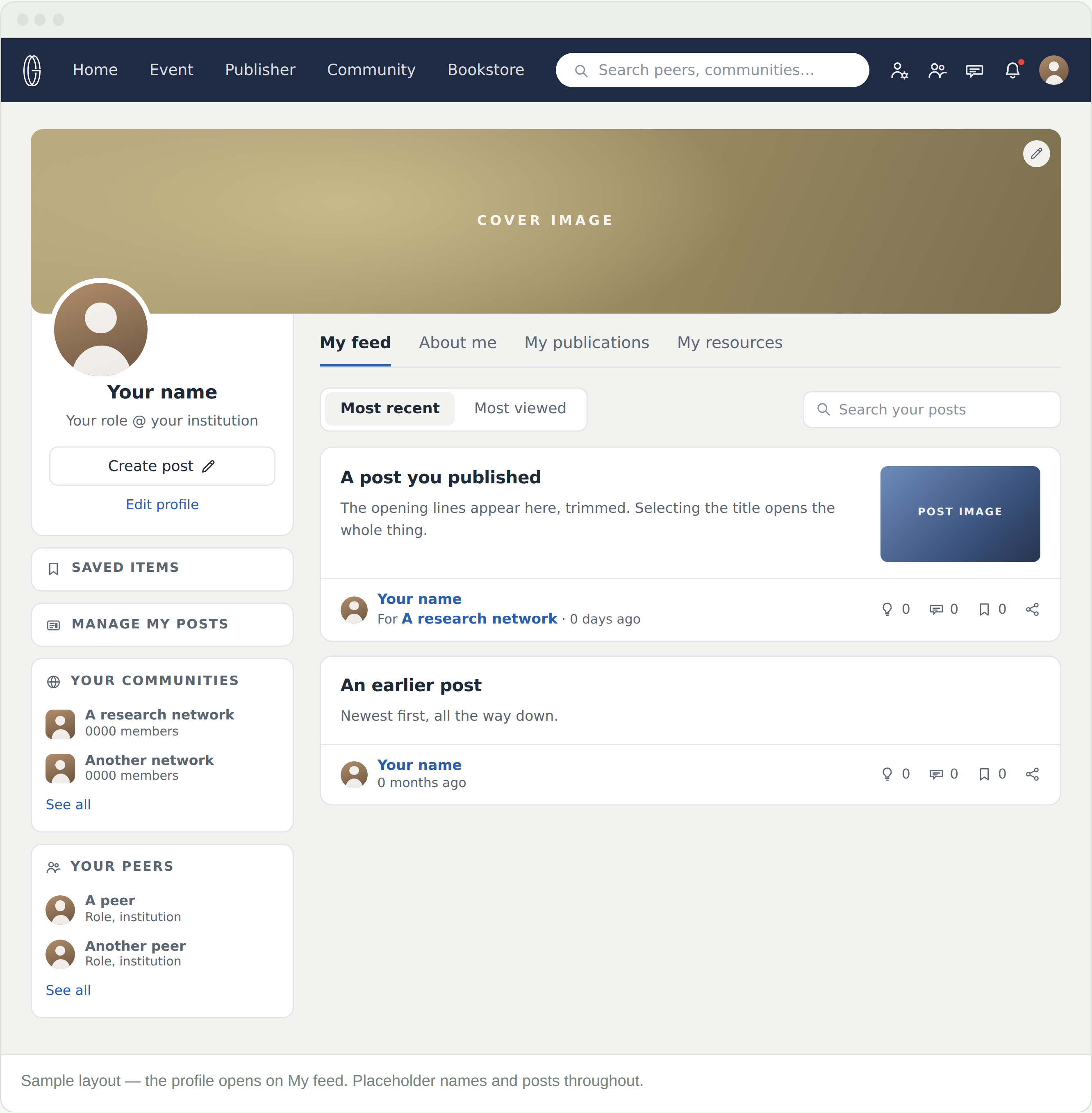
Your profile picture in the top bar → My profile. It opens on My feed — your own posts, newest first. Above them, a cover image, your photo, your name and current role.

  • The left column is yours to work from — Create post, Edit profile, Saved items, Manage my posts, and panels for your communities and your peers
  • The tabs are what others read

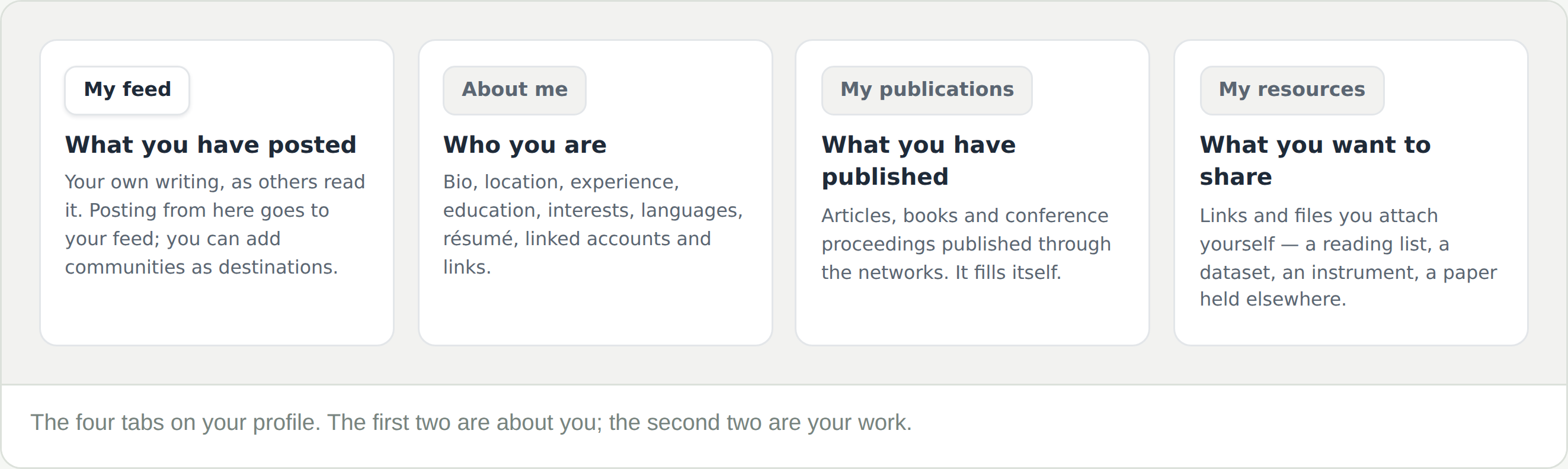
The four tabs

Two are about you; two are your work. My publications are the ones you never have to fill in — work published through the networks’ journals and books appears there on its own.

Primary affiliation — the field that travels

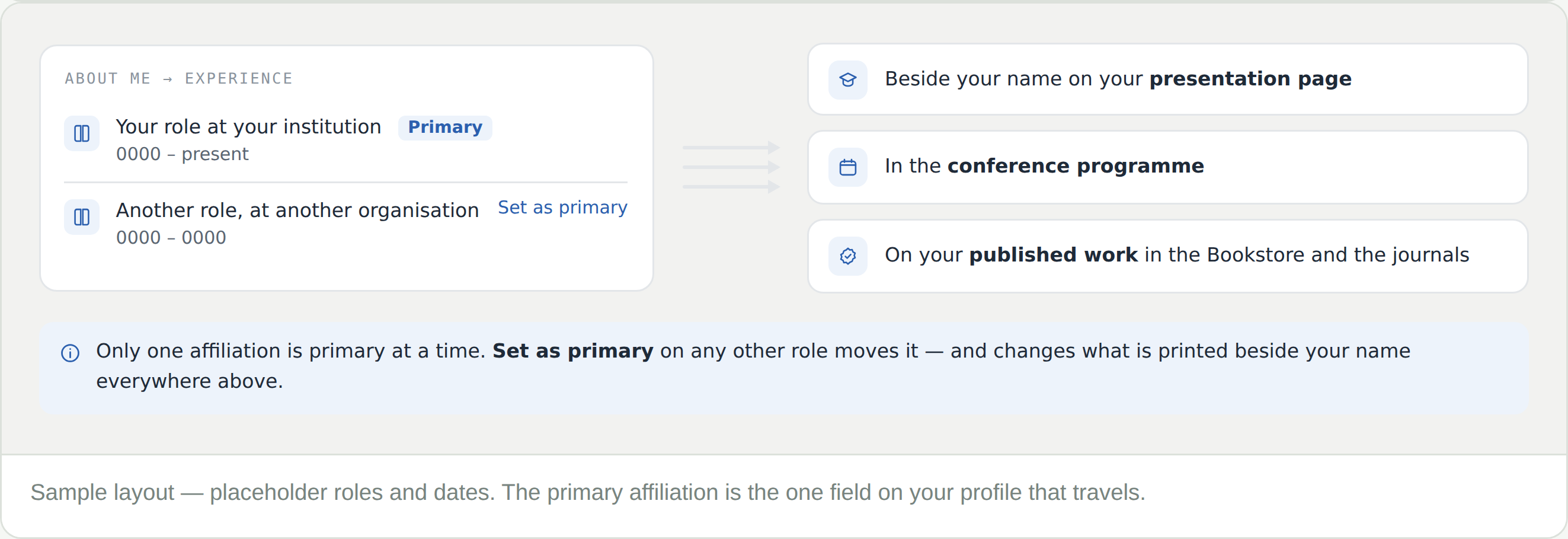
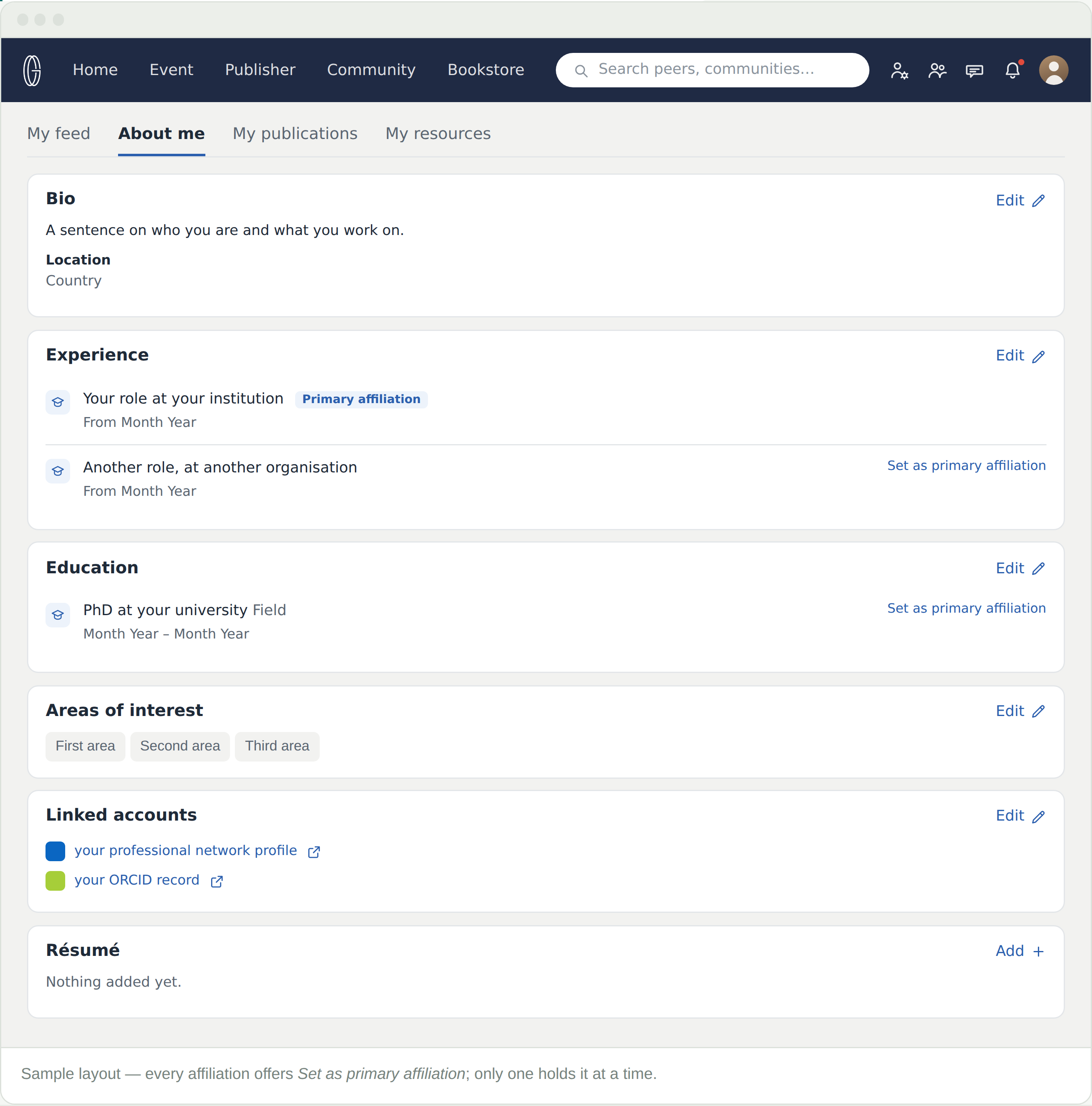
Under About me, every role you list under Experience offers Set as primary affiliation. Only one holds it at a time, and that one is printed beside your name well beyond this page.

  • Beside your name on your presentation page
  • In the conference programme
  • On your published work, in the Bookstore and the journals

Set it to the institution you want credited, and reset it when you move. Leave the old role listed — the record of where you were is useful to anyone reading older work.

About me

Bio, location, experience, education, interests, languages, résumé, linked accounts, and links. It is the part a new peer reads before deciding whether to write to you.

Link your ORCID under Linked accounts. It is the identifier that ties your work together across publishers, and it costs one paste.

My resources

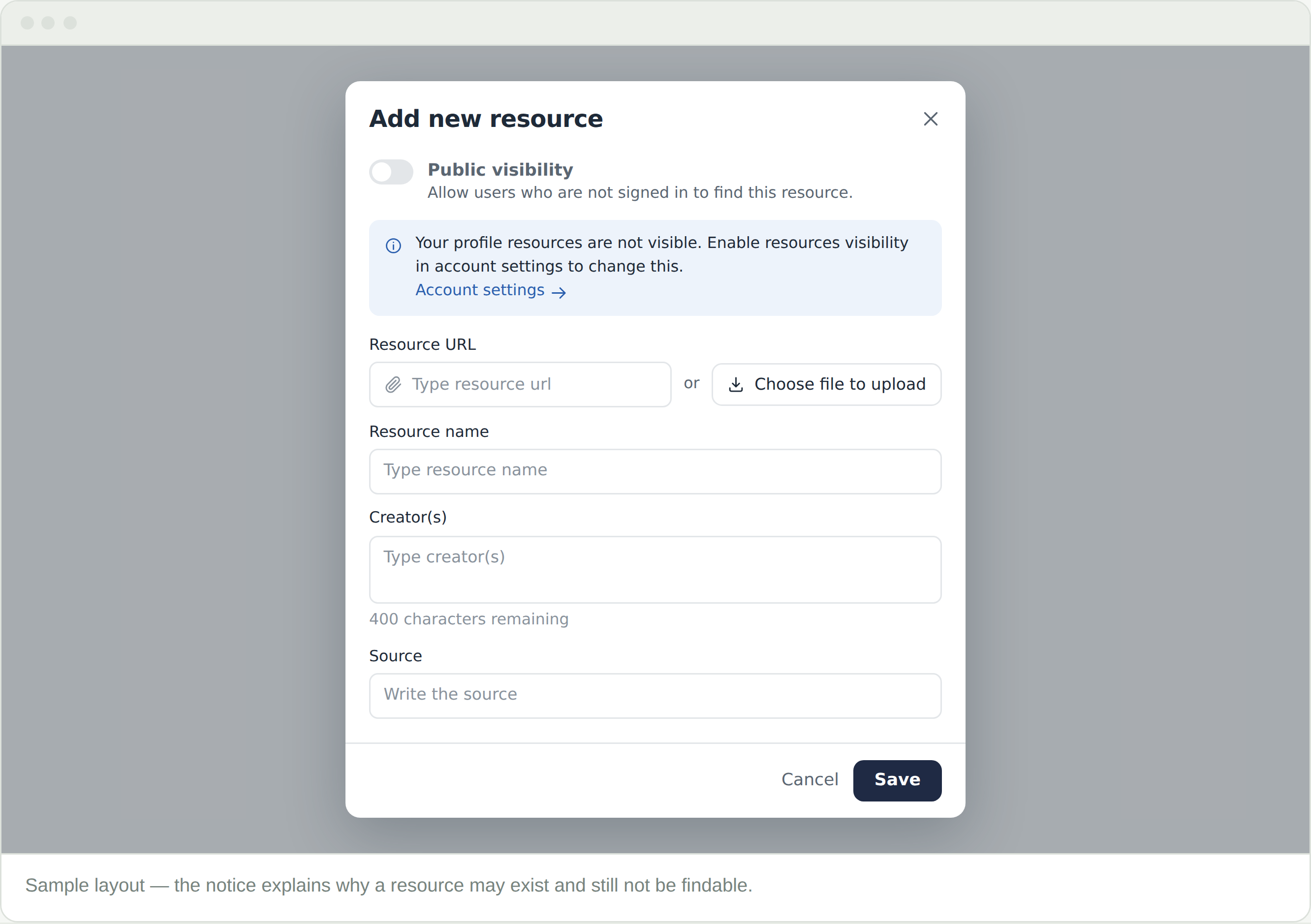
Add new resource attaches something to your profile — a URL or an uploaded file, with a name, its creators and a source. A reading list, a dataset, an instrument, a paper of yours held elsewhere.

Two things govern whether a resource can be found: the resource’s own Public visibility toggle, and Resources visibility in Account settings. The dialog tells you how the second is currently set, and links straight to it.

Frequently Asked Questions

The wrong institution appears beside my name

That is your primary affiliation. Open About me, find the affiliation you want credited, and use Set as primary affiliation. It changes what shows in conference programmes and on published work.

I moved institution

Add the new role under Experience and set it primary. Leave the old one listed — the record of where you were is useful to anyone reading older work.

I added a resource and nobody can see it

Two things govern it and both have to allow it: Resources visibility in Account settings, and the resource’s own Public visibility toggle. The Add new resource dialog tells you how the first is currently set.

My publications tab is empty

It lists work published through the networks’ journals and books. Work published elsewhere belongs under My resources, or as a link.

Should I link my ORCID?

Yes — it is the identifier that ties your work together across publishers, and it costs one paste under Linked accounts.